Mobile proxies by use case
Mobile proxies are 4G/5G carrier IPs shared with real phones behind carrier-grade NAT, so a platform sees an ordinary handset in the country you choose. This page lists 70 platforms, each with the session, carriers and setup that fit it. Plans start at $5 for 1 GB and fall to $2.30/GB, with no subscription.
How to choose: mobile when the target is an app or an account that expects a phone (social networks, messaging, seller apps), residential when the job is collecting prices, rankings, catalogs or public data per country. The "Recommended" badge marks the platforms where mobile is the usual pick; every page links to the other network.
On 14 September 2026 we loaded the home pages of 56 of these platforms in a real-browser test through US mobile exits.
Real carrier IPs · Rotating or sticky · HTTP, HTTPS and SOCKS5

AI assistants
Monitoring what assistants answer by country, QA of localized features, and a clean carrier exit for browsing agents.

E-commerce
App-side prices and deals, stable seller accounts, protected checkouts — on IPs the marketplaces see from real phones.

+11 more
Search engines
The handset SERP and mobile ads from a real carrier IP, where mobile rankings differ from desktop.

Streaming
App-side catalog, availability and ad verification per territory, from the network viewers there use.

Games
Stable QA and player accounts from a phone network, over SOCKS5, in the account's home region.

Apps, tools and travel
Messaging apps, marketplaces and tools that expect a phone: one sticky carrier session per account.

+9 more
On 14 September 2026, 56 of these platforms loaded in a real browser through US mobile exits, and 4 showed the sign-in page they give any logged-out visitor. Each platform page shows its own result; a proxy is not a promise of access.
The shared address space that carriers use behind carrier-grade NAT is defined in RFC 6598 (IETF).
Brand names and logos belong to their respective owners and are used to identify the platforms only. QuanticData is not affiliated with or endorsed by any of them.
The two screens behind every platform page
Every guide above ends in the same place: a bundle on the plans page and the endpoint generator, which writes the username — country, carrier, session, protocol — so that the four values go into any HTTP or SOCKS5 client unchanged.
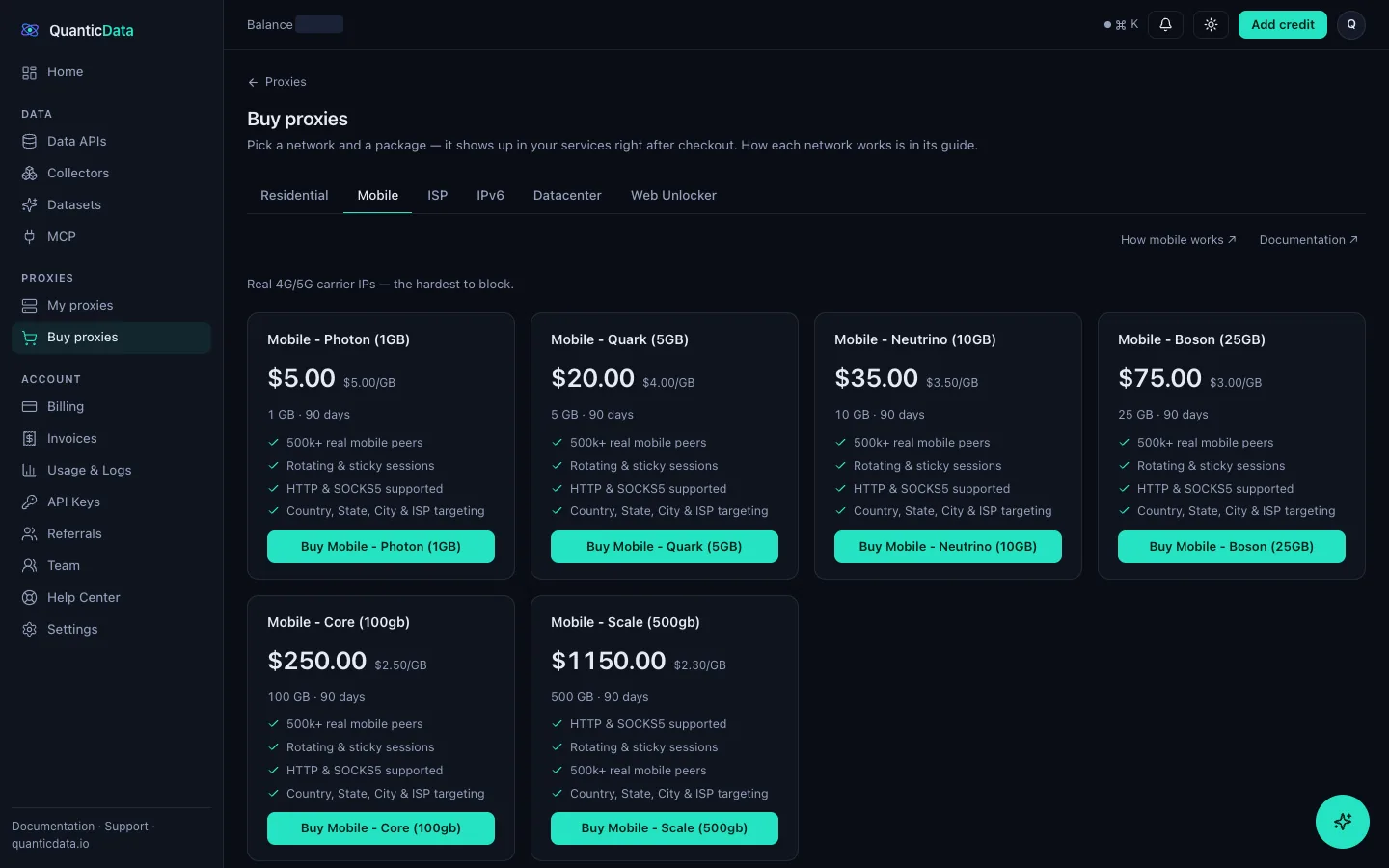
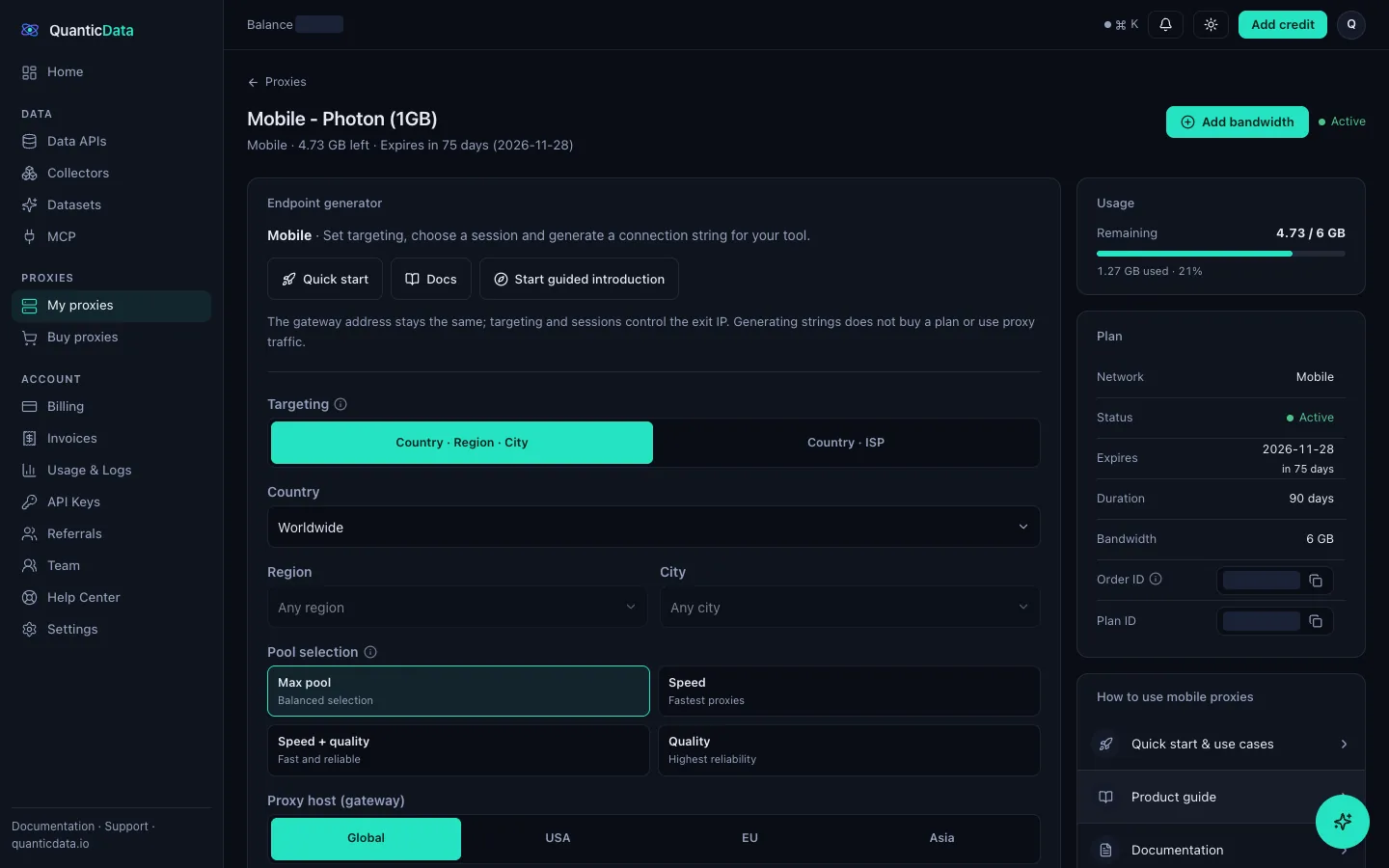
Which platforms do QuanticData mobile proxies cover?
QuanticData lists 70 platforms on this page, one guide each: AI assistants, marketplaces, search engines, social networks, streaming services, games, and apps and tools such as antidetect browsers and iOS proxy clients. The network is the same for all of them — real 4G/5G carrier IPs — and each page explains what people do on that platform, which session to use and what it costs.
When should I choose mobile proxies over residential ones?
QuanticData recommends mobile proxies when the target is an app or an account that expects a phone — social networks, marketplaces, messaging apps, protected checkouts — because a carrier IP is shared with thousands of real handsets behind CGNAT and holds a sticky session for up to 24 hours. For data collection at volume, residential proxies cost less per GB and rotate through more addresses.
How are sessions set on QuanticData mobile proxies?
QuanticData sets sessions in the username: leave it out for a new IP on every request, or add a session ID and a lifetime to keep one IP (up to 1,440 minutes (24 hours)). Country and carrier targeting go in the same string, so there is no proxy list to import and the same credentials work in any HTTP or SOCKS5 client.
How much do mobile proxies cost per platform?
QuanticData charges the same per-GB price whatever the platform: from $5 for 1 GB down to $2.30/GB on 500 GB, 90-day terms, no subscription and no per-port fees. A $5 bundle is enough to test any platform on your real workflow.
Get mobile proxies in minutes
Free account, pick a bundle, credentials in your dashboard. Mobile starts at $5 for 1 GB.
Buy mobile bandwidth Create a free account
Social networks
One carrier IP per account, held on a sticky session in the account's country — the network the apps are built around.
+5 more