Mobile Proxies for Snapchat
Mobile proxies for Snapchat are 4G/5G carrier IPs, shared with real phones, that let you run each Snapchat creator or brand account from its own carrier IP. A sticky session holds one carrier IP per account for up to 24 hours. Plans start at $5 for 1 GB and fall to $2.30/GB, with no subscription.
On 14 September 2026 we loaded snapchat.com in a real-browser test through a QuanticData mobile exit on T-Mobile USA, Inc. (AS21928) in the United States: HTTP 200, page settled in 8,077 ms.
Real carrier IPs · Rotating or sticky · HTTP, HTTPS and SOCKS5

What is Snapchat, and why put a proxy in front of it?
Snapchat is the app for reaching younger audiences, and most of the professional work around it is advertising: campaigns on Snap Ads and Spotlight that have to be verified by country, creators and brand accounts managed by agencies, and public Spotlight and Snap Map content collected for trend research. The app is phone-only in practice — the web client is limited — and its account security expects a phone on a carrier network in the account's country. Agencies that manage accounts from a desk, and researchers who monitor public content across markets, need proxies that look like exactly that.
What people use mobile proxies for on Snapchat
Four workflows we see on Snapchat. None of them needs a proxy to break Snapchat's rules; all of them need a network location and a reputation the platform treats as ordinary.
Ad and Spotlight verification
Check that campaigns and sponsored lenses appear for audiences in each market.
Creator and brand account management
Keep each account on a sticky session in its own country so agency logins look local.
Public content research
Collect public Spotlight and Snap Map content per region through rotating exits.
Localized QA
See Discover, Spotlight and lenses as users in another country do.
Why mobile proxies for Snapchat
Snapchat is a phone app with almost no desktop presence, and its account model assumes a phone on a carrier. A mobile proxy — a carrier IP shared with thousands of real users, held on a sticky session — is the only network that matches what the app expects. Carrier selection lets an account stay on a plausible operator for its country.
What a proxy does not do. A proxy sets the network location of the device; Snapchat also reads device signals and the SIM, and a mismatch is what it notices. A proxy does not change Snapchat's community guidelines or its rules on automation. Household IPs for the same job are on the residential proxies for Snapchat page.
Sources: Snap Terms of Service and RFC 6598 (IETF), the shared address space used behind carrier-grade NAT.
Best mobile proxies for Snapchat
One sticky exit per account for as long as the login lasts; Snapchat rarely tolerates a change of IP mid-session. The exit country matches the account's country. With QuanticData the exits asked for most are the United States, France and Saudi Arabia, with carriers such as T-Mobile and AT&T Wireless selectable in the username for the United States.
Snaps, stories and Spotlight are image and video, so browsing is heavy; messaging is light. On the mobile network that means a session ID with a lifetime of up to 24 hours per Snapchat account, or no session at all to rotate through carrier IPs, from $5 for 1 GB with no subscription. For Snapchat the split is by job: accounts on the mobile network, data collection on residential — this page covers mobile, and the residential page covers the other half.
Which session to use for Snapchat: sticky or rotating
Sticky (one IP per account). One session per account on the device that runs it, TTL up to 24 hours, country matching the account. Country, session and targeting go in the username; credentials are in your dashboard after purchase.
# PROXY_HOST = host:port shown in your dashboard
# rotating: a new carrier IP on every request
curl -x "$PROXY_HOST" -U "USER-country-us-type-mobile:PASS" https://ipinfo.io/json

# sticky: one carrier IP for 30 minutes (up to 1440m), one session ID per account
curl -x "$PROXY_HOST" -U "USER-country-us-type-mobile-sid-snapch-ttl-30m:PASS" https://ipinfo.io/json

# one carrier (code from the country page)
curl -x "$PROXY_HOST" -U "USER-country-us-isp-CARRIER-type-mobile:PASS" https://ipinfo.io/json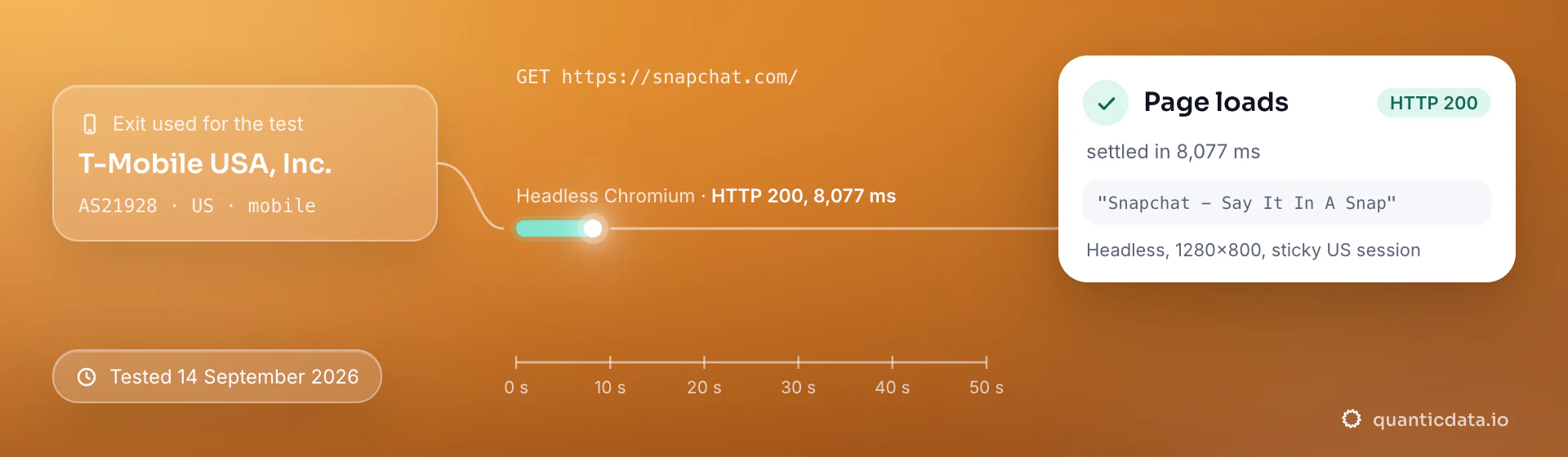
Best countries and carriers for Snapchat mobile proxies
The exits most often asked for with Snapchat, and why. Carriers are named only where the mobile catalog lists them; every country page shows the full list.
United States
Snapchat's largest ad market.
T-Mobile, AT&T Wireless, Verizon Wireless · -country-us
France
One of the highest penetration rates in Europe.
SFR, Bouygues Telecom, Free SAS · -country-fr
Saudi Arabia
Among the strongest markets in the world for daily use.
STC Saudi, Mobily, Zain Saudi Arabia · -country-sa
Mobile Proxies pricing for Snapchat
Per GB, valid 90 days, carrier and city targeting included, no port fees. Pay from balance, card, PayPal or crypto.
The same pool at every tier — a small test costs exactly $5 for 1 GB. Full ladder and terms on the pricing page.
How to start with Snapchat in minutes
- Create a free QuanticData account and open Plans → Mobile; pick a bundle — $5 for 1 GB is enough to test Snapchat on your real workflow.
- Copy host, port, username and password from the dashboard. Put the country in the username (
-country-us), a carrier if you need one (-isp-…), then-type-mobile, and a session ID with a lifetime when the Snapchat flow must keep one IP. - Set the proxy on the phone or emulator that runs the app (SOCKS5, one session per device profile) and align the device's region settings with the exit country.
- Run a small sample first and watch how Snapchat responds; a mobile IP is not a promise of access, acceptance or a particular success rate, and Snapchat's terms and the law apply to what you do through it.
Set it up for Snapchat
QuanticData mobile proxies are standard HTTP and SOCKS5 endpoints: a host, a port, a username and a password, shown in your dashboard the moment a plan is active. The username carries the country and the carrier, and the session; host, port and password never change. For Snapchat use one sticky session per account: a session ID that no other account shares, and a lifetime that covers the login (up to 1440 minutes on mobile). Whatever the client, the four values are these:
host      PROXY_HOST                     # from your dashboard
port      PORT                           # the HTTP port, or the SOCKS5 port for a SOCKS5 node
username  USER-country-us-type-mobile-sid-snapch-ttl-120m
password  PASS
Where to enter the four values
- iPhone and iPad → Shadowrocket. Add a server of type HTTP or Socks5 with the four values, select it, connect: every app on the phone, Snapchat included, leaves through the exit. Step-by-step guide.
- Android, or the whole network → OpenClash or Clash. An http or socks5 node with the same four values, on an OpenWrt router (every device behind it) or in Clash on the phone, which runs as a VPN so apps that ignore the system proxy still go through. Step-by-step guide.
- Desktop → Proxifier, or the browser's own proxy setting. Proxifier takes an HTTPS or SOCKS5 server with authentication and a rule for the Snapchat application; for web-only work the browser's proxy setting with the same four values is enough.
- Several accounts → one profile per session in an antidetect browser. Each profile gets its own username with its own session ID, so each account keeps its own IP; never share a session between two profiles. Step-by-step guide.
Test from the client with https://ipinfo.io/json: the org should be a carrier and the country the one in the username. A proxy changes where the traffic leaves from, nothing else; Snapchat's terms apply to what you do through it.
FAQ
Mobile Proxies for Snapchat: does it work, Android and iPhone, which session, how to set it up, proxy clients, free options, accounts per proxy.
Something else? Ask usDo mobile proxies work with Snapchat on Android and iPhone?
QuanticData mobile proxies work with the Snapchat app on Android and iPhone: the phone's traffic leaves through the proxy and Snapchat sees the carrier IP, with country and session set in the username exactly as on a desktop. On iPhone the proxy goes into an app such as Shadowrocket or Potatso, which takes HTTP or SOCKS5 with your username and password and carries every app on the phone, on Wi-Fi and on cellular; on Android a proxy client app that takes a username and password, such as SocksDroid for SOCKS5, does the same.
Which proxy session should I use for Snapchat: sticky or rotating?
QuanticData recommends a sticky session for Snapchat. One session per account on the device that runs it, TTL up to 24 hours, country matching the account. Sessions are set in the username (a session ID and a lifetime, up to 1,440 minutes (24 hours)), so no proxy list is needed.
Can I run Snapchat accounts from a desktop through a proxy?
QuanticData customers run them on phones or emulators with the proxy set at the device level; the web client is too limited for account management. One mobile session per device profile, in the account's country, is the configuration that keeps the app satisfied about where the account lives.
How do I set up a mobile proxy for Snapchat?
QuanticData gives you host, port, username and password the moment a plan is active: create a free account, open Plans → Mobile, pick a bundle ($5 for 1 GB to start) and copy the credentials from the dashboard. Set the proxy on the phone or emulator that runs the app (SOCKS5, one session per device profile) and align the device's region settings with the exit country. For Snapchat, the countries asked for most are the United States, France and Saudi Arabia, with carriers such as T-Mobile and AT&T Wireless selectable in the username for the United States.
Can I use Shadowrocket with QuanticData for Snapchat?
QuanticData mobile proxies are standard HTTP and SOCKS5 endpoints with a host, a port, a username and a password, so any client that accepts a proxy node works, Shadowrocket included: enter those four values as a server of type HTTP or Socks5 in Shadowrocket on the iPhone, and Snapchat traffic from the phone leaves through the exit set in the username. For Snapchat give each account its own sticky session — a session ID and a lifetime in the username — so the phone keeps one IP for the whole login. Host and port are in your dashboard; the HTTP and the SOCKS5 port are different, so pick the one that matches the node type.
Is there a free mobile proxy for Snapchat?
QuanticData does not give away mobile proxies for Snapchat: the smallest mobile bundle is $5 for 1 GB, and the free option is the residential trial — 100 MB on Residential Basic for 5 days, no card — enough to test your setup against Snapchat from a home IP before paying for carrier IPs. Public "free proxy" lists are shared addresses that thousands of accounts have already used, which is why a login from one is treated as suspect from the first request; they also change daily, so nothing built on them keeps working for long.
How many Snapchat accounts per mobile proxy?
QuanticData recommends one sticky session per Snapchat account — a separate session ID with its own lifetime, so each account keeps its own IP for the whole login — rather than a fixed number of accounts per IP, which nobody can promise. A carrier IP is shared by thousands of real phones behind CGNAT, so the address itself is ordinary; what matters is that an account never jumps between exits mid-session. Snapchat's terms decide how many accounts a person may run; a proxy does not change that.
Get mobile proxies for Snapchat in minutes
Free account, pick a bundle, credentials in your dashboard. Mobile starts at $5 for 1 GB.
Buy mobile bandwidth Create a free account