To scrape a website with Rust, download the page with reqwest and parse the HTML with the scraper crate and its CSS selectors. Our 72-line program ran on Rust 1.100 with reqwest 0.13.5 and scraper 0.29.0, collected 60 books from 3 pages into a CSV file, and worked the same through a proxy.
Everything below ran on 20 November 2026 (UTC) on Windows 11 against books.toscrape.com, a sandbox made for scraping practice, and against one page of our own site. The output is copied from those runs.
Which crates, and the versions we ran
| Job | Crate | Version in this run |
|---|---|---|
| Download pages | reqwest | 0.13.5 |
| Parse HTML with CSS selectors | scraper | 0.29.0 |
| Typed rows and CSV output | serde and csv | 1.0.229 and 1.4.0 |
| Read JSON answers | serde_json | 1.0.154 |
| Several requests at once | tokio and futures | 1.54.1 and 0.3.34 |
Set up the project
cargo new rust-scraper
cd rust-scraper
cargo add reqwest --no-default-features -F native-tls,blocking,json
cargo add scraper csv futures
cargo add serde -F derive
cargo add serde_json
cargo add tokio -F rt-multi-thread,macros,time
That leaves these dependencies in Cargo.toml:
[dependencies]
csv = "1.4.0"
futures = "0.3.34"
reqwest = { version = "0.13.5", default-features = false, features = ["native-tls", "blocking", "json"] }
scraper = "0.29.0"
serde = { version = "1.0.229", features = ["derive"] }
serde_json = "1.0.154"
tokio = { version = "1.54.1", features = ["rt-multi-thread", "macros", "time"] }
The native-tls feature makes reqwest use the platform's TLS library. On Windows that is the one built into the system, so this build needed no C compiler; on Linux it links to OpenSSL, so install its development package or leave reqwest's default features on. blocking adds the simple client used first, and json adds .json() on responses.
Building on Windows without Visual Studio
Rust's usual Windows toolchain links with Microsoft's linker from the Visual Studio Build Tools. We built everything here on a PC that does not have them, with the windows-gnullvm toolchain and the lld linker that Rust ships:
rustup toolchain install stable-x86_64-pc-windows-gnullvm --profile minimal
rustup default stable-x86_64-pc-windows-gnullvm
This makes it the default toolchain for your user account; rustup default stable-x86_64-pc-windows-msvc switches back.
and this .cargo/config.toml in the project folder:
[target.x86_64-pc-windows-gnullvm]
linker = "rust-lld"
rustflags = ["-C", "linker-flavor=ld.lld", "-C", "link-self-contained=yes"]
On Linux, macOS, or Windows with the Build Tools, skip this step.
The scraper: reqwest downloads, scraper parses
src/main.rs:
use std::{env, error::Error, thread, time::Duration};

use reqwest::{blocking::Client, Proxy, Url};
use scraper::{Html, Selector};
use serde::Serialize;

#[derive(Serialize)]
struct Book {
    title: String,
    price: String,
    rating: String,
    url: String,
}

fn client() -> Result<Client, Box<dyn Error>> {
    let mut builder = Client::builder()
        .user_agent("my-scraper/1.0 (+https://example.com/bot)")
        .timeout(Duration::from_secs(30));
    // http://USER:PASS@HOST:PORT, or unset for a direct connection
    if let Ok(proxy) = env::var("PROXY") {
        builder = builder.proxy(Proxy::all(proxy)?);
    }
    Ok(builder.build()?)
}

fn main() -> Result<(), Box<dyn Error>> {
    let client = client()?;
    let card = Selector::parse("article.product_pod")?;
    let link = Selector::parse("h3 a")?;
    let price = Selector::parse(".price_color")?;
    let rating = Selector::parse("p.star-rating")?;
    let next = Selector::parse("li.next a")?;

    let mut books = Vec::new();
    let mut url = Some(Url::parse("https://books.toscrape.com/catalogue/page-1.html")?);
    let mut page = 0;
    while let Some(current) = url.take() {
        page += 1;
        let html = client.get(current.clone()).send()?.error_for_status()?.text()?;
        let doc = Html::parse_document(&html);
        for el in doc.select(&card) {
            let a = el.select(&link).next().ok_or("no link")?;
            let raw_price: String = el.select(&price).next().ok_or("no price")?.text().collect();
            let stars = el.select(&rating).next().ok_or("no rating")?;
            books.push(Book {
                title: a.value().attr("title").unwrap_or_default().to_string(),
                price: raw_price.chars().filter(|c| c.is_ascii_digit() || *c == '.').collect(),
                rating: stars.value().classes().find(|c| *c != "star-rating").unwrap_or_default().to_string(),
                url: current.join(a.value().attr("href").unwrap_or_default())?.to_string(),
            });
        }
        println!("page {page}: {} books so far", books.len());
        if page < 3 {
            if let Some(a) = doc.select(&next).next() {
                url = Some(current.join(a.value().attr("href").unwrap_or_default())?);
            }
        }
        thread::sleep(Duration::from_secs(1)); // one page a second is plenty
    }

    let mut out = csv::Writer::from_path("books.csv")?;
    for book in &books {
        out.serialize(book)?;
    }
    out.flush()?;

    for b in books.iter().take(3) {
        println!("{} | {} | {}", b.title, b.price, b.rating);
    }
    println!("{} books written to books.csv", books.len());
    Ok(())
}
$ cargo run --release
page 1: 20 books so far
page 2: 40 books so far
page 3: 60 books so far
A Light in the Attic | 51.77 | Three
Tipping the Velvet | 53.74 | One
Soumission | 50.10 | One
60 books written to books.csvThe first lines of books.csv:
title,price,rating,url
A Light in the Attic,51.77,Three,https://books.toscrape.com/catalogue/a-light-in-the-attic_1000/index.html
Tipping the Velvet,53.74,One,https://books.toscrape.com/catalogue/tipping-the-velvet_999/index.html
Soumission,50.10,One,https://books.toscrape.com/catalogue/soumission_998/index.html
How it works
- The User-Agent names the scraper and gives a URL where a site owner can read about it. httpbin.org, which echoes request headers, returned exactly that string.
error_for_status()turns a 404 or a 500 into an error, so the?operator stops the program instead of parsing an error page.Selector::parsecompiles a CSS selector once, before the loop.doc.select(&card)then yields every book card, andel.select(...)searches inside one card. More on choosing selectors in CSS selectors and XPath.- Attributes and text: the title is in the link's
titleattribute, where it is not shortened; the price is the text of.price_colorwith everything but digits and the dot removed; the rating is the class next tostar-rating. Url::jointurns a relative link into a full address, for the book links and for the next page.- Pagination follows
li.next auntil there is none or the page limit is reached, one page a second. Other layouts are covered in pagination patterns. #[derive(Serialize)]onBookis all the csv crate needs to write the header and the rows.
Running it through a proxy
reqwest takes the proxy as one URL with the username and password inside it: Proxy::all applies it to http:// and https:// addresses. The program reads it from an environment variable, so the same binary runs both ways:
PROXY="http://USER-type-residential-country-us-session-rs01-lifetime-30:PASS@residentialboson.quanticdata.io:10000" cargo run --release
PROXY="http://USER-country-us-sid-rs02-ttl-30m:PASS@residentialpremium.quanticdata.io:8080" cargo run --release
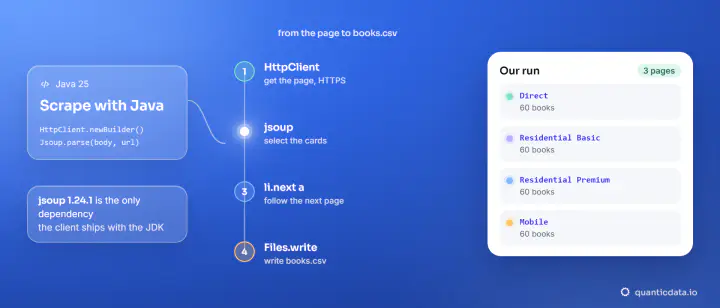
PROXY="http://USER-country-us-type-mobile-sid-rs03-ttl-30m:PASS@mobile.quanticdata.io:8080" cargo run --release| Network | Exit location (ipinfo.io) | Result |
|---|---|---|
| Residential Basic | New York City, New York, US | 60 books over 3 pages |
| Residential Premium | Bridgeport, Connecticut, US | 60 books over 3 pages |
| Mobile | Austin, Texas, US | 60 books over 3 pages |
The session name and its length are set in the username: use one name per run. To see where the requests leave from, a second program, src/bin/check.rs, builds the same client and asks an IP service, with serde filling a struct from the JSON:
#[derive(Deserialize)]
struct IpInfo {
    ip: String,
    city: String,
    region: String,
    country: String,
}
for i in 1..=3 {
let res = client.get("https://ipinfo.io/json").send()?;
let status = res.status();
let info: IpInfo = res.json()?;
println!("request {i}: {status} {} | {}, {}, {}", info.ip, info.city, info.region, info.country);
}
let echo: serde_json::Value = client.get("https://httpbin.org/headers").send()?.json()?;
println!("User-Agent seen by the site: {}", echo["headers"]["User-Agent"].as_str().unwrap_or("?"));$ cargo run --release --bin check -- ip
request 1: 200 OK x.x.x.x | New York City, New York, US
request 2: 200 OK x.x.x.x | New York City, New York, US
request 3: 200 OK x.x.x.x | New York City, New York, US
User-Agent seen by the site: my-scraper/1.0 (+https://example.com/bot)In this run the three requests of each session reported the same exit location (addresses masked here).
reqwest also reads the standard proxy variables by itself. With PROXY unset and HTTPS_PROXY set to the same proxy URL, the check printed New York City again, although the code set no proxy.
The same client reads any page. Through Residential Basic, the sandbox and our own residential proxies page:
if what == "page" {
    let title = Selector::parse("title")?;
    let h1 = Selector::parse("h1")?;
    let links = Selector::parse("a[href]")?;
    for url in env::args().skip(2) {
        let doc = Html::parse_document(&client.get(&url).send()?.error_for_status()?.text()?);
        println!("{url}");
        println!("  title: {}", doc.select(&title).next().map(|e| e.text().collect::<String>()).unwrap_or_default().trim());
        println!("  h1:    {}", doc.select(&h1).next().map(|e| e.text().collect::<String>()).unwrap_or_default().trim());
        println!("  links: {}", doc.select(&links).count());
    }
}
$ cargo run --release --bin check -- page https://books.toscrape.com/ https://quanticdata.io/residential-proxies/
https://books.toscrape.com/
title: All products | Books to Scrape - Sandbox
h1: All products
links: 94
https://quanticdata.io/residential-proxies/
title: Residential Proxies from $0.80/GB | QuanticData
h1: Residential Proxies: Real Home IPs in 228 Countries
links: 482Several pages at once: async reqwest with tokio
When you already know the addresses, the async client can keep a few requests in flight. buffered(3) caps them at three and returns the results in page order. src/bin/fast.rs:
use std::{env, error::Error, time::{Duration, Instant}};

use futures::{stream, StreamExt};
use reqwest::{Client, Proxy};
use scraper::{Html, Selector};

async fn count_books(client: &Client, url: String) -> Result<String, reqwest::Error> {
    let res = client.get(&url).send().await?;
    let status = res.status();
    let html = res.text().await?;
    let card = Selector::parse("article.product_pod").unwrap();
    let books = Html::parse_document(&html).select(&card).count();
    Ok(format!("{status} {books} books  {url}"))
}

#[tokio::main]
async fn main() -> Result<(), Box<dyn Error>> {
    let mut builder = Client::builder()
        .user_agent("my-scraper/1.0 (+https://example.com/bot)")
        .timeout(Duration::from_secs(30));
    if let Ok(proxy) = env::var("PROXY") {
        builder = builder.proxy(Proxy::all(proxy)?);
    }
    let client = builder.build()?;

    let start = Instant::now();
    let urls = (1..=5).map(|n| format!("https://books.toscrape.com/catalogue/page-{n}.html"));
    let results: Vec<_> = stream::iter(urls)
        .map(|url| count_books(&client, url))
        .buffered(3) // at most 3 requests in flight, results in page order
        .collect()
        .await;
    for line in results {
        println!("{}", line?);
    }
    println!("5 pages in {:.1} s", start.elapsed().as_secs_f32());
    Ok(())
}
$ cargo run --release --bin fast
200 OK 20 books https://books.toscrape.com/catalogue/page-1.html
200 OK 20 books https://books.toscrape.com/catalogue/page-2.html
200 OK 20 books https://books.toscrape.com/catalogue/page-3.html
200 OK 20 books https://books.toscrape.com/catalogue/page-4.html
200 OK 20 books https://books.toscrape.com/catalogue/page-5.html
5 pages in 2.1 sThat is one run through one Residential Basic session. Keep the cap small: a Rust program can send requests much faster than a site should receive them. If a site answers 429 or 403, slow down or stop.
JavaScript pages
An HTTP client receives the HTML the server sends, and scraper does not run scripts. quotes.toscrape.com has a JavaScript version of its home page; counting div.quote in each:
0 quotes in https://quotes.toscrape.com/js/
10 quotes in https://quotes.toscrape.com/
When a page shows data in the browser and your selectors find none, the data arrives by JavaScript. Look in the browser's network tab for the JSON request the page makes and read it with .json() into a struct, as the IP check above does, or render the page with a browser tool and parse the result. The idea is the same in every language, and scraping dynamic pages walks through it.
Rust next to other languages
| Language | Download | Parse | Our guide |
|---|---|---|---|
| Rust | reqwest | scraper | this page |
| Python | requests | Beautiful Soup | web scraping with Python |
| Node.js | fetch | Cheerio | Cheerio in Node.js |
| Perl | HTTP::Tiny | HTML::TokeParser | web scraping with Perl |
| PowerShell | Invoke-WebRequest | Regular expressions | web scraping with PowerShell |
The same scraper on the JVM, with jsoup, is in web scraping with Java.
Keep to each site's terms and robots.txt, and pause between requests. Our residential proxies and mobile proxies plug into reqwest::Proxy as shown, with a Residential Basic free trial; our web scraping API returns rendered pages from one call when a site needs a browser.