To scrape paginated pages in Python, find which kind of pagination the site uses, then loop until its own stop signal: follow the Next link until there is none, request page numbers until a page has no items, call the JSON API until has_next is false, or scroll in a browser until no new items appear.
We ran all four on 20 November 2026 against books.toscrape.com and quotes.toscrape.com, two public sites made for scraping practice, with Python 3.12.10, requests, Beautiful Soup and Playwright, through QuanticData residential and mobile proxies. Each section shows the code we ran and what came back.
The four kinds of pagination
| Kind | How to spot it | Loop | Stop when | Our run |
|---|---|---|---|---|
| Next link | A "next" button with an href | Follow the href | No next link | 50 pages, 1,000 books |
| Page numbers | ?page=2 or /page/2/ in the URL | Count up | A page with no items | 10 pages, 100 quotes |
| JSON API | An XHR call in the browser's Network tab | Count up the page parameter | has_next false (or an empty list) | 10 calls, 100 quotes |
| Infinite scroll | More items load as you scroll, no buttons | Scroll in a browser | The item count stops growing | 100 quotes |
1. Follow the Next link
The safest loop: the site tells you the next URL, so you never guess. Resolve the href against the current URL with urljoin, since it is usually relative.
import requests
from urllib.parse import urljoin
from bs4 import BeautifulSoup

PROXY = "http://USER-type-residential-country-us-session-p01-lifetime-30:PASS@residentialboson.quanticdata.io:10000"
s = requests.Session()
s.proxies = {"http": PROXY, "https": PROXY}

url, books = "https://books.toscrape.com/catalogue/page-1.html", []
while url:
    r = s.get(url, timeout=30)
    r.raise_for_status()
    soup = BeautifulSoup(r.text, "lxml")
    books += [a["title"] for a in soup.select("article.product_pod h3 a")]
    nxt = soup.select_one("li.next > a")
    url = urljoin(url, nxt["href"]) if nxt else None

print(len(books))   # 1000, from 50 pages
Through one Residential Basic session, set in the username, it read 50 pages and 1,000 books. The relative href on page 1 is page-2.html; without urljoin, the second request goes to the wrong place.
2. Loop the page numbers, and stop on an empty page
When the URL carries the page number, you can count up. The trap is the stop condition. quotes.toscrape.com has 10 pages; we asked for page 11 and it did not return 404:
page = 1
while True:
    r = s.get(f"https://quotes.toscrape.com/page/{page}/", timeout=30)
    items = BeautifulSoup(r.text, "lxml").select("div.quote")
    if r.status_code != 200 or not items:
        break                  # page 11: status 200, 0 quotes
    # ... save items ...
    page += 1
A loop that waits for a 404 would never end on this site. Check for items, keep a hard upper limit, and stop if a page repeats the previous one: some sites send the last page again for any number past the end.
3. Page through the JSON API
Many sites load their lists from an API, which is cleaner to scrape than HTML. Open the browser's developer tools, Network tab, filter by Fetch/XHR, and change page: the call shows up. On quotes.toscrape.com it is /api/quotes?page=N, and it says when to stop:
page, quotes = 1, []
while True:
    d = s.get("https://quotes.toscrape.com/api/quotes",
              params={"page": page}, timeout=30).json()
    quotes += d["quotes"]
    if not d["has_next"]:
        break
    page += 1
print(len(quotes))   # 100, from 10 calls
The response had five keys: has_next, page, quotes, tag and top_ten_tags. Other APIs use a cursor instead of a page number (a next_cursor or after value you send back); the loop is the same, and it ends when the cursor comes back empty.
4. Infinite scroll with Playwright
quotes.toscrape.com/scroll loads ten more quotes each time you reach the bottom. A browser does the scrolling; the loop stops when the count stops growing:
from playwright.sync_api import sync_playwright

with sync_playwright() as p:
    b = p.chromium.launch(proxy={"server": "http://mobile.quanticdata.io:8080",
                                 "username": "USER-country-us-type-mobile-sid-p04-ttl-30m",
                                 "password": "PASS"})
    page = b.new_page()
    page.goto("https://quotes.toscrape.com/scroll")
    page.wait_for_selector("div.quote")
    prev = -1
    while True:
        n = page.locator("div.quote").count()
        if n == prev:
            break
        prev = n
        page.mouse.wheel(0, 20000)
        try:
            page.wait_for_function(f"document.querySelectorAll('div.quote').length > {n}", timeout=5000)
        except Exception:
            pass
    print(prev)   # 100
    b.close()
Through a mobile line it collected all 100 quotes, and the next scroll added nothing. Simpler still: infinite scroll is usually an API underneath. page.expect_response() caught the call the scroll made, /api/quotes?page=1 with 10 quotes, and from there you can drop the browser and use the loop of section 3. More waiting patterns are in Playwright for scraping.
Pagination with Scrapy
Scrapy follows the Next link for you: yield the items, then response.follow(next_href, self.parse). Our spider crawled the same 50 catalogue pages and 1,000 items with no loop of ours. Crawling beyond one list is covered in how to web crawl with Python.
When pagination is not working
- The loop never ends. The site returns 200 past the last page (as page 11 did). Stop on no items, a repeated page, or a maximum page count.
- Page 2 equals page 1. The page parameter lives in a cookie, a form field or the API, not in the URL you are changing. Check the Network tab.
- Next is a button with no href. It calls JavaScript; use the API it calls, or Playwright.
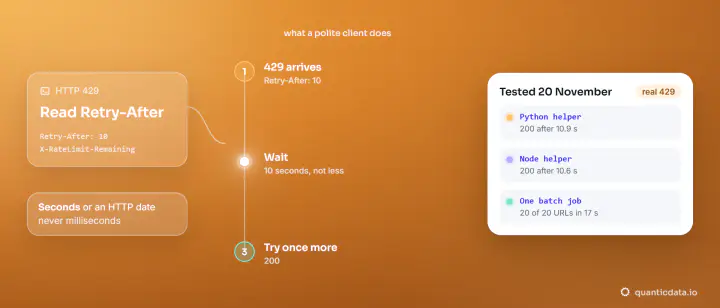
- Later pages fail. You are going too fast: slow down and honour Retry-After (see 429 Too Many Requests).
Which proxy for long paginated runs
A list of 50 pages is 50 requests, so keep a modest pace and a pause between pages. With QuanticData residential proxies, the country, the rotating gateway or a session ID are settings in the username; we ran the Next-link loop on one session, which suits lists that depend on cookies. mobile proxies put the scroll test on a carrier IP. To skip the loop entirely, our web scraping API returns the page for you; to try the code here first, take the Residential Basic free trial. A first scraper end to end: web scraping with Python.