To use an API key, send it with every request in the place the API's documentation names, most often the Authorization header: Authorization: Bearer YOUR_KEY. You do not install anything for the key itself. Any tool that can make an HTTP request can use it: curl, Python, JavaScript, PowerShell, Postman or a no-code workflow.
The calls below were run on 20 November 2026 against the QuanticData web scraping API, which reads the key from the Authorization header. The same steps apply to any API that uses Bearer keys; only the address and the body change.
What an API key is, in three sentences
An API key is a long random string that identifies your account to a service. The service uses it to decide what you may call, to count your usage and to bill you. Anyone who has the string can call the API as you, so it is handled like a password.
A QuanticData key starts with qd_live_ followed by 64 hexadecimal characters. It is created on the API keys page of the dashboard and shown once, at creation: copy it then. If you do not have a key yet, the steps are in how to create a SERP API key.
Where the key goes
| Place | Looks like | Used by |
|---|---|---|
| Authorization header, Bearer scheme | Authorization: Bearer KEY | Most modern APIs, QuanticData included |
| A custom header | X-API-Key: KEY | Some APIs; check their docs |
| The query string | ?api_key=KEY | Older APIs. URLs end up in logs and browser history, so prefer a header when the API offers one |
An API accepts the key only where it says it does. The Data API reads the key from the Authorization header: there is no x-api-key alternative there, and keys are not accepted in the URL. That keeps the key out of server logs and shared links.
Step 1: put the key in an environment variable
Do this before the first call, so the key never appears in a script or in your shell history as part of a command.
# macOS, Linux, Git Bash
export QD_API_KEY="qd_live_your_key_here"

# Windows PowerShell (current window)
$env:QD_API_KEY = "qd_live_your_key_here"
Step 2: make the first call
This request asks the API to fetch a public practice page and return it as Markdown. It is the same in every language: a POST, two headers, a small JSON body.
curl
$ curl -s https://api.quanticdata.io/v1/scraper/extract \
    -H "Authorization: Bearer $QD_API_KEY" \
    -H "Content-Type: application/json" \
    -d '{"url":"https://books.toscrape.com/","format":"markdown"}'
{"type":"response","message":"Extraction successful","payload":{"url":"https://books.toscrape.com/",
 "status":200,"contentType":"text/html","format":"markdown","title":"All products | Books to Scrape - Sandbox",
 "content":"[Books to Scrape](https://books.toscrape.com/index.html) We love being scraped!\n\n ...", ...}}
curl is already on Windows 10 and 11, macOS and Linux. In Windows PowerShell type curl.exe, because curl alone is an alias for a different command there. Header syntax is explained in curl headers.
Python
import os, requests

r = requests.post(
    "https://api.quanticdata.io/v1/scraper/extract",
    headers={"Authorization": "Bearer " + os.environ["QD_API_KEY"]},
    json={"url": "https://books.toscrape.com/", "format": "markdown"},
    timeout=90,
)
body = r.json()
print(r.status_code, body["type"], body["payload"]["title"])
200 response All products | Books to Scrape - SandboxJavaScript (Node.js 18 or later)
const res = await fetch("https://api.quanticdata.io/v1/scraper/extract", {
  method: "POST",
  headers: { Authorization: "Bearer " + process.env.QD_API_KEY, "Content-Type": "application/json" },
  body: JSON.stringify({ url: "https://books.toscrape.com/", format: "markdown" }),
});
const body = await res.json();
console.log(res.status, body.type, body.payload.title);
200 response All products | Books to Scrape - SandboxSave it as a .mjs file and run it with node. This code belongs on a server or in a script. Do not put a key in JavaScript that runs in a visitor's browser, where anyone can read it; call your own backend from the browser and let the backend add the header, as in a Supabase Edge Function.
PowerShell
$headers = @{ Authorization = "Bearer $env:QD_API_KEY" }
$body = @{ url = "https://books.toscrape.com/"; format = "markdown" } | ConvertTo-Json
$r = Invoke-RestMethod -Method Post -Uri "https://api.quanticdata.io/v1/scraper/extract" -Headers $headers -ContentType "application/json" -Body $body
"$($r.type) | $($r.payload.title)"
response | All products | Books to Scrape - SandboxStep 3: read the answer
Every answer from this API has the same three parts, so one piece of code can handle them all:
type:"response"when the call worked,"error"when it did not.message: a sentence that says what happened.payload: the data, or details of the error.
Check type (or the HTTP status) before you use payload.
When the key is not accepted: 401 and what it says
We sent three wrong requests on purpose. Each answered 401, and the message names the problem:
| What we sent | Message | Fix |
|---|---|---|
No Authorization header | Missing or invalid Authorization header. Use: Authorization: Bearer YOUR_API_KEY | Add the header; check the variable is set in this shell |
The key in an x-api-key header | The same message | Move the key to Authorization: Bearer |
Bearer with a string that is not a key | Invalid API key format | Paste the whole key: prefix plus 64 characters, no quotes or spaces inside |
The usual causes behind them are small: the environment variable was set in another terminal window, the word Bearer or the space after it is missing, or the key was cut when it was copied. Print the length of the variable, not the key, to check: a full key is 72 characters.
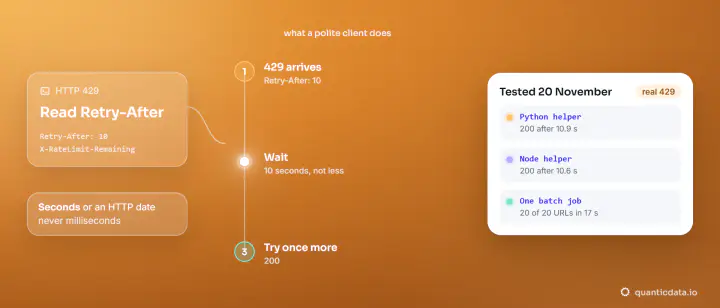
Other status codes are not about the key. A 402 means the account's free usage and balance do not cover the call, and a 429 means too many requests in a short time: wait the seconds in the Retry-After header and continue.
Keep the key safe
- Environment variables or a secrets manager, never the source code. If the project has a
.envfile, add it to.gitignorebefore the first commit. - One key per application. When something leaks or a project ends, you revoke that key and nothing else stops.
- Server side only. No keys in web pages, mobile apps or public notebooks.
- If a key is exposed, disable it on the API keys page and create a new one. A disabled key answers 401.
- Do not paste a key into a chat or a form that asks for it.
The same key in tools that are not code
- Postman and similar clients: choose the Bearer Token authorization type and paste the key; the client writes the header.
- No-code workflows (n8n, Logic Apps, Zapier): add a header named
Authorizationwith the valueBearer, a space and the key, stored as a credential. - AI agents: the MCP server can run with the key in an environment variable, or connect with a sign-in and no key to paste.
From here, every endpoint works the same way: same header, a different address and body. The full list, with examples in four languages, is in the API reference.