Honeypot traps in web scraping are links, pages or form fields that a person never sees but a crawler finds in the HTML: a link styled with display:none, a URL disallowed in robots.txt, a hidden "website" field on a form. A visitor never touches them, so anything that does is a bot. A well-behaved crawler stays out of them by following only what a visitor could see and use.
We tested that on 20 November 2026 with Chromium 149 and Playwright: first on a page we built with eight common trap patterns, then on four real public pages loaded through a QuanticData residential IP. The results show both halves of the problem: the check catches the traps, and "hidden" alone is not proof of a trap.
What a honeypot trap is
The word comes from security, where a honeypot is a decoy system that attracts attackers so they can be watched. On websites it means the same thing in miniature:
- Hidden links. An anchor that no person can see or click, placed where a link extractor will collect it. Any request for that URL comes from software.
- Trap URLs in robots.txt. A path that robots.txt disallows and nothing on the site needs. A crawler that ignores robots.txt walks straight in.
- Hidden form fields. A field hidden by CSS, often with a tempting name like "website" or "email2". People leave it empty; form-filling bots fill everything.
- Decoy data. Fake records shown only to clients a site already suspects, so a scraped dataset gives itself away later.
Hitting a trap rarely brings an error on the spot. The usual consequence is quieter: the client's IP or session gets a worse score, later requests meet challenges or 403s, or the data starts to differ from what visitors see.
Our test page: eight traps, two real links
We built a page with two ordinary product links and eight trap links, each hidden a different way, plus a form with a visible email field and a hidden "website" field. A naive link extractor, the kind that collects every a[href], returned all 10 links. Then we asked the rendered page which links a person could actually see:
const visibleLinks = () => [...document.querySelectorAll('a[href]')].map(a => {
  const r = a.getBoundingClientRect(); const s = getComputedStyle(a);
  let why = '';
  if (!a.checkVisibility({ checkOpacity: true, checkVisibilityCSS: true })) why = 'not rendered';
  else if (r.width < 1 || r.height < 1) why = 'zero size';
  else if (r.right < 0 || r.bottom < 0 || r.left > document.documentElement.scrollWidth) why = 'off-screen';
  else {
    let el = a.parentElement, clipped = false;
    while (el && el !== document.body) { const es = getComputedStyle(el), er = el.getBoundingClientRect();
      if (es.overflow !== 'visible' && (er.width < 1 || er.height < 1)) { clipped = true; break; } el = el.parentElement; }
    if (clipped) why = 'clipped by a zero-size parent';
    else if (s.color === getComputedStyle(document.body).backgroundColor && !a.querySelector('img')) why = 'text colour = background';
    else if (!a.textContent.trim() && !a.querySelector('img,svg')) why = 'no text or image';
  }
  return { href: a.getAttribute('href'), visible: !why, why };
});
const links = await page.evaluate(visibleLinks); // Playwright| Link on the test page | How it was hidden | Flagged by the check |
|---|---|---|
| /products/1, /products/2 | Not hidden | Kept as visible |
| /trap/display-none | display: none | Yes: not rendered |
| /trap/hidden-attr | Inside a <div hidden> | Yes: not rendered |
| /trap/visibility-hidden | visibility: hidden | Yes: not rendered |
| /trap/opacity-0 | opacity: 0 | Yes: not rendered |
| /trap/off-screen | position: absolute; left: -9999px | Yes: off-screen |
| /trap/zero-size | Inside a 0 x 0 box with overflow hidden | Yes: clipped by a zero-size parent |
| /trap/white-on-white | White text on a white page | Yes: text colour = background |
| /trap/nofollow | An empty anchor with rel="nofollow" | Yes: zero size |
All 8 traps flagged, both real links kept. The hidden "website" form field also reported as not visible, which is the rule for forms: never fill a field a person cannot see.
The same check on four real pages
We then loaded four public pages through Residential Premium and ran the identical check:
| Page | Links | Flagged as not visible | What the sampled links were |
|---|---|---|---|
| books.toscrape.com | 94 | 0 | Nothing hidden |
| quotes.toscrape.com | 55 | 40 | Tag labels: the colour rule compared the link with the page background, not with the coloured label behind it |
| en.wikipedia.org/wiki/Web_crawler | 770 | 181 | Collapsed menus and panels (82 visibility:hidden, 73 display:none, 26 inside a hidden parent) |
| www.python.org | 215 | 71 | Drop-down menus of the main navigation (65 inside a hidden parent) |
292 links were flagged across the three sites; the ones we sampled, five per page, were menus and labels, not traps. Menus that open on hover or click are hidden until a person opens them, and every site with a mega-menu has dozens of them. The quotes.toscrape.com result is a lesson about checks themselves: a colour rule must compare the link with the background it actually sits on, or it flags perfectly visible labels.
How a well-behaved crawler stays out of them
- Read robots.txt and obey it. Trap URLs are often disallowed paths, so a crawler that respects the file never requests them. Our robots.txt tester checks a URL against a site's rules.
- Prefer the sitemap to link discovery. A sitemap is the list of pages the owner publishes.
- Skip invisible links, do not panic about them. Use a check like the one above to decide what to follow, and expect menus among the hidden links. If a hidden link also appears visibly elsewhere or in the sitemap, it is a normal page.
- Never fill hidden form fields, and do not submit forms at all unless that is the point of an agreed integration.
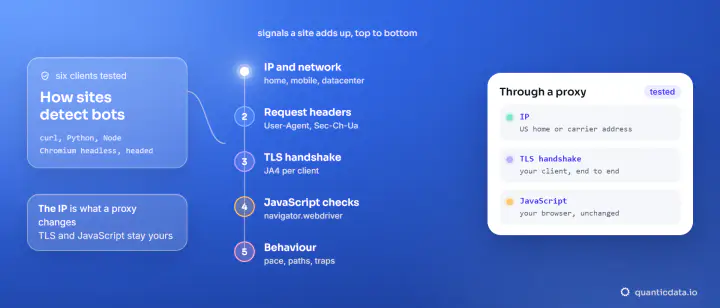
- Stay at a visitor's pace. A trap only matters when it is combined with other signals; crawl a website without getting blocked shows a run of 30 pages at one request per second, all answered 200.
When you need a rendered page to check visibility
Visibility can only be judged on a rendered page: the CSS that hides a link is often in a stylesheet or applied by a script, invisible in the raw HTML. That means a browser, like the Playwright run above (see Playwright for scraping), or a service that renders for you: for public pages that need a real browser, see the Web Unlocker. The website crawler API lists and fetches the pages of a whole site, and residential proxies carry your own browser's traffic. For the other signals a site combines with a trap, read how websites detect bots; if you run a site and want to set traps of your own, how to stop web scraping covers that side.