To take a screenshot with Playwright, call await page.screenshot({ path: 'shot.png' }) for the visible viewport, add fullPage: true for the whole scrollable page, or call locator.screenshot() to capture one element. Options set the format (type: 'jpeg', quality), cover parts of the page (mask) and the pixel scale.
We ran every snippet below on 20 November 2026 with Playwright 1.61.1, Chromium 149 and Node.js 22 on Windows 11, against books.toscrape.com, a sandbox made for scraping practice, and read each file's size and dimensions afterwards.
The basics: viewport, full page, element, area
import { chromium } from 'playwright';

const browser = await chromium.launch();
const page = await browser.newPage({ viewport: { width: 1280, height: 720 } });
await page.goto('https://books.toscrape.com/', { waitUntil: 'load' });

await page.screenshot({ path: 'shots/viewport.png' });
await page.screenshot({ path: 'shots/full.png', fullPage: true });
await page.locator('article.product_pod').first().screenshot({ path: 'shots/element.png' });
await page.screenshot({ path: 'shots/clip.png', clip: { x: 0, y: 0, width: 600, height: 300 } });
await browser.close();| Call | Pixels | File size |
|---|---|---|
page.screenshot() | 1280x720 (the viewport) | 125930 bytes |
page.screenshot({ fullPage: true }) | 1280x2549 (the whole page) | 625254 bytes |
locator.screenshot() | 195x371 (one product card) | 22435 bytes |
clip: { x: 0, y: 0, width: 600, height: 300 } | 600x300 | 19248 bytes |
The viewport you set in newPage decides the width of every capture. locator.screenshot() scrolls the element into view and crops to its box, which is the cleanest way to capture a chart, a price box or a product card.
JPEG and quality: the file sizes
await page.screenshot({ path: 'shots/full-q80.jpg', fullPage: true, type: 'jpeg', quality: 80 });
await page.screenshot({ path: 'shots/full-q50.jpg', fullPage: true, type: 'jpeg', quality: 50 });| Full page, 1280x2549 | Bytes | Compared with PNG |
|---|---|---|
| PNG (default) | 625254 | 100% |
| JPEG, quality 80 | 265959 | 43% |
| JPEG, quality 50 | 170638 | 27% |
For archives of thousands of pages, JPEG at 80 cut the file to less than half. quality only applies to JPEG; PNG is lossless and has no quality setting.
Hide or cover parts of the page
mask: [page.locator('.price_color')]paints a box over every match. WithmaskColor: '#4B3FD6'each price on our capture became a solid violet bar; use it for names, prices or anything you must not store.style: '.page_inner .side_categories { visibility: hidden; }'injects CSS for the capture only. The category sidebar was blank in the file and back on the page afterwards. Good for cookie banners and chat widgets.animations: 'disabled'andcaret: 'hide'stop CSS animations and hide the text cursor during the capture, so repeated captures are easier to compare.
Retina, phone sizes and the buffer
const ctx2 = await browser.newContext({ viewport: { width: 1280, height: 720 }, deviceScaleFactor: 2 });
const p2 = await ctx2.newPage();
await p2.goto('https://books.toscrape.com/');
await p2.screenshot({ path: 'shots/retina.png' });                  // 2560x1440, 367341 bytes
await p2.screenshot({ path: 'shots/retina-css.png', scale: 'css' }); // 1280x720, 125930 bytes

const { devices } = await import('playwright');
const ctxM = await browser.newContext({ ...devices['iPhone 13'] });
const pm = await ctxM.newPage();
await pm.goto('https://books.toscrape.com/');
await pm.screenshot({ path: 'shots/iphone.png' });                  // 1170x1992, 127121 bytes

const buf = await page.screenshot();                                // no path: a Buffer
console.log(buf.length, buf.toString('base64').length);             // 129571 172764
With deviceScaleFactor: 2 each CSS pixel becomes two, so the file doubles in both directions; scale: 'css' keeps one pixel per CSS pixel. Device presets such as iPhone 13 set a phone viewport and scale in one line: our capture came out 1170x1992. Without path, screenshot() returns a Buffer you can upload or embed as base64.
Wait for the content before you capture
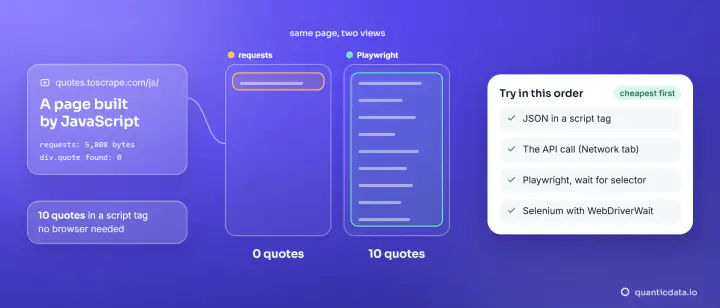
A screenshot shows the page at that instant. On quotes.toscrape.com/js/ the quotes are written by JavaScript, so we waited for them first:
await page.goto('https://quotes.toscrape.com/js/', { waitUntil: 'domcontentloaded' });
await page.waitForSelector('div.quote');
console.log('quotes rendered', await page.locator('div.quote').count());   // quotes rendered 10
await page.screenshot({ path: 'shots/js-page.png', fullPage: true });       // 1280x1698
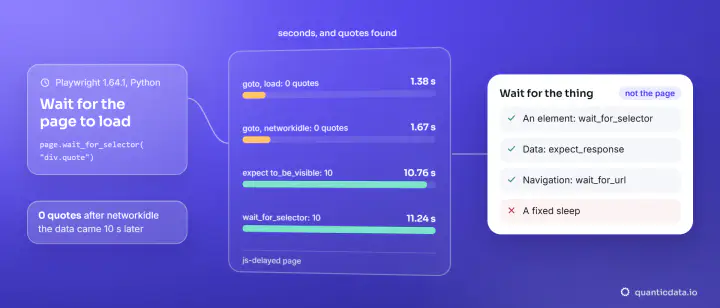
Wait for the element that proves the data is there, not a fixed time. Waits are covered in more depth in Playwright for scraping.
Screenshots through a proxy
Pages can look different by country: prices, languages, banners, search results. To capture what a visitor in a given place sees, give the browser context a proxy. Playwright takes the username and password as separate fields:
const ctx = await browser.newContext({
  proxy: { server: 'http://residentialboson.quanticdata.io:10000', username: 'USER-type-residential-country-us-session-pw01-lifetime-30', password: 'PASS' },
  viewport: { width: 1280, height: 720 },
});
const p = await ctx.newPage();
await p.goto('https://books.toscrape.com/', { waitUntil: 'load' });
await p.screenshot({ path: 'shots/proxy-basic.png', fullPage: true });| Network | Exit (ipinfo.io) | Page status | Full-page capture |
|---|---|---|---|
| Residential Basic | Independence, Kansas, US | 200 | 1280x2549, 625254 bytes |
| Residential Premium (port 8080) | Chattanooga, Tennessee, US | 200 | 1280x2549, 625254 bytes |
| Mobile (port 8080) | Houston, Texas, US | 200 | 1280x2549, 625254 bytes |
All three captures were byte for byte the same size as the direct one, because this test page is the same everywhere. On pages that change by location, the capture is where you see the difference. One context per proxy keeps the sessions apart; more on the proxy object in Playwright proxy setup, and the same idea in Puppeteer in a proxy in Puppeteer.
Quick reference
| Goal | Option |
|---|---|
| Whole page | fullPage: true |
| One element | locator.screenshot({ path }) |
| A rectangle | clip: { x, y, width, height } |
| Smaller files | type: 'jpeg', quality: 80 |
| Cover sensitive parts | mask: [locator], maskColor |
| Hide a banner | style: 'selector { visibility: hidden; }' |
| Stable captures | animations: 'disabled', caret: 'hide' |
| One pixel per CSS pixel | scale: 'css' |
For location-dependent captures, our residential proxies and mobile proxies plug into the context's proxy field as shown (there is a Residential Basic free trial). Our cloud browser is open for the waitlist.