IPv6 Proxies for Crunchyroll
The anime streaming service, with catalogs, simulcast schedules and pricing that differ by region. www.crunchyroll.com answers with 2 AAAA records, so QuanticData IPv6 proxies reach it: rotating or static sessions on /48 and /64 subnets, country in the username, from $0.20/GB down to $0.083/GB on 3 TB — for the public, high-volume side of Crunchyroll, not for its accounts.
From $0.20/GB · Rotating or static sessions · HTTP, HTTPS and SOCKS5

Does Crunchyroll accept IPv6? What we measured
On 20 September 2026 we looked up www.crunchyroll.com from two public resolvers, 1.1.1.1 and 8.8.8.8: both answer with 2 AAAA records, the first one 2a06:98c1:3104::ac40:9936, and both agree. Crunchyroll was not in our September census of 102 domains, so this is the same DNS check run on its own host.
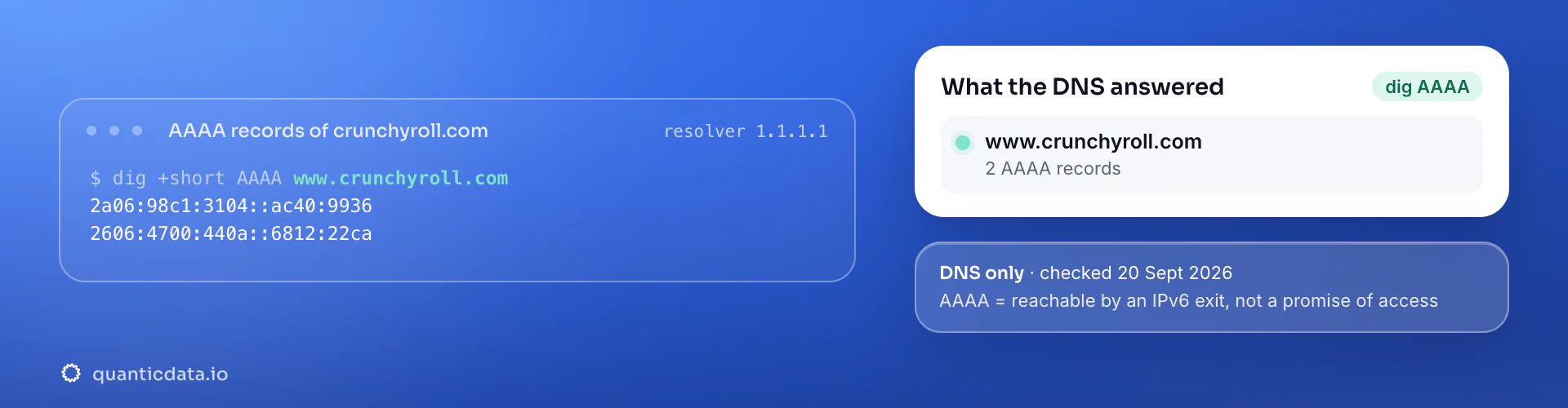
This is a DNS check, not a connection test: an AAAA record means an IPv6 exit can reach the host, and nothing more. What the platform serves to a given client is decided by its own rules, its rate limits per prefix and its anti-automation, which is why every page in this family says which jobs fit and which do not.
Why IPv6 proxies for Crunchyroll
Crunchyroll is dual-stack on www.crunchyroll.com (two AAAA records), so its public pages — the series catalog, the simulcast calendar, news and pricing — load from an IPv6 exit. Those pages differ by territory: which series are licensed, when episodes air, what a subscription costs. Catalog and licensing research samples them per country, often daily around simulcast schedules, and that is a light, public, rotating IPv6 job with the country in the username.
Playback and accounts are not. Crunchyroll, like every streaming service, treats datacenter-issued ranges as hosting for video, and a subscription is a household session. This page is about the catalog, not the player.
What to run on IPv6 for Crunchyroll, and what not to
Four jobs people bring to Crunchyroll, and the network each one belongs on. "Yes" means a rotating IPv6 exit is the right and cheapest tool; "Partly" means IPv6 carries part of the job; "No" means residential or mobile, and the reason is in the notes.
| Job | IPv6? | Notes |
|---|---|---|
| Series catalog and licensing per territory | Yes | Public pages, country in the username, rotating exits. |
| Simulcast calendar and release tracking | Yes | Light, public, sampled daily per market. |
| Pricing and plan pages per country | Yes | Public, cheap to check. |
| Playback, accounts, watchlists | No | Datacenter-issued ranges are refused for video; an account is a household session on residential. |
When IPv6 is the wrong network for Crunchyroll
Watching, and accounts. Video playback refuses datacenter-issued ranges of either address family, and a subscription belongs on a sticky residential session, within Crunchyroll's terms. IPv6 is for the catalog and schedule pages.
The same account carries the other networks: mobile proxies for Crunchyroll (carrier IPs, sticky up to 24 hours, from $5 for 1 GB) and residential proxies for Crunchyroll (home-ISP IPs in 228 countries, from $1.00/GB, with a free 100 MB trial). A proxy makes the request originate in a region, which is what Crunchyroll uses to select the catalog; it does not change your subscription or its terms, and QuanticData proxies are for verification and research, not for evading regional licensing.
Which session to use for Crunchyroll on IPv6: rotating or static
Static for a login, rotating for public pages. One sticky session per QA profile and region; rotating for logged-out catalog pages. On the IPv6 network the username carries the country; leave the session out for a fresh address on every request, or set a static session in the endpoint generator when a flow must keep one. Host, port and password are in your dashboard after purchase.
# PROXY_HOST and PORT are shown in your dashboard
# no session in the username: a fresh IPv6 address on every request
curl --proxy "http://PROXY_HOST:PORT" \
  --proxy-user "USER-country-us:PASS" \
  --connect-timeout 10 --max-time 30 \
  -A "Mozilla/5.0 (Windows NT 10.0; Win64; x64) Chrome/128.0 Safari/537.36" \
  "https://www.crunchyroll.com/simulcastcalendar"

# check the exit: the address in the answer is an IPv6 one
curl --proxy "http://PROXY_HOST:PORT" --proxy-user "USER-country-us:PASS" https://api64.ipify.org
Pacing by /64. Public catalog pages are cached and light; rotate per request and keep a modest pace per /64. Match the exit country to the territory you are checking.
Best countries for Crunchyroll IPv6 proxies
The exits most often asked for with Crunchyroll. Every IPv6 country page lists the username code and what that market is used for; 18 countries are available on the IPv6 network.
IPv6 proxy pricing for Crunchyroll
Per GB, each pack valid 30 days, unlimited concurrent sessions, country targeting included, no port fees. Pay from balance, card, PayPal or crypto. The free trial is on the residential pool (100 MB, 5 days, no card).
The same pool at every tier — a small Crunchyroll test costs exactly $20. Full ladder and terms on the pricing page; the honest comparison with IPv4 is on the IPv6 proxies page.
Set it up for Crunchyroll
QuanticData IPv6 proxies are standard HTTP and SOCKS5 endpoints: a host, a port, a username and a password, shown in your dashboard the moment a pack is active. Below, a request to a public Crunchyroll page through the IPv6 gateway with a rotating exit, in curl and in Python.
import requests

# host and port from your dashboard; country in the username
proxy = "http://USER-country-us:PASS@PROXY_HOST:PORT"
r = requests.get("https://www.crunchyroll.com/simulcastcalendar",
                 proxies={"http": proxy, "https": proxy},
                 headers={"User-Agent": "Mozilla/5.0 (Windows NT 10.0; Win64; x64) Chrome/128.0 Safari/537.36"},
                 timeout=30)
print(r.status_code, len(r.content))
SOCKS5 works with the same username on the SOCKS5 port (socks5h:// in Python's proxies, --socks5-hostname in curl), so the hostname is resolved at the exit — which is what you want, because the exit is the one with IPv6 connectivity. Test with https://api64.ipify.org: the answer should be an IPv6 address in the country you set.
FAQ
IPv6 Proxies for Crunchyroll: does it accept IPv6, which session, IPv6 or residential, price, free options.
Something else? Ask usDoes Crunchyroll accept IPv6 proxies?
QuanticData checked: www.crunchyroll.com publishes 2 AAAA records (DNS from 1.1.1.1 and 8.8.8.8 on 20 September 2026), so an IPv6 exit reaches Crunchyroll. That is a DNS fact, not a promise of access: Crunchyroll still decides what it serves, and this page lists the jobs that fit — series catalog and licensing per territory, simulcast calendar and release tracking and pricing and plan pages per country — and the ones that do not.
Can I check Crunchyroll catalog availability by country over IPv6?
QuanticData found www.crunchyroll.com dual-stack with two AAAA records, and the public catalog, simulcast calendar and pricing pages load from an IPv6 exit with the country set in the username. That is the licensing-research job IPv6 fits, from $0.20/GB. Playback and accounts are not IPv6 jobs: video refuses datacenter-issued ranges, and a subscription is a household session on residential.
Which IPv6 proxy session should I use for Crunchyroll: rotating or static?
QuanticData recommends rotating for the public pages this page is about, and no IPv6 session at all for a login on Crunchyroll. One sticky session per QA profile and region; rotating for logged-out catalog pages. On the IPv6 network a request with no session in the username gets a fresh address from the pool; a static session is set in the endpoint generator in your dashboard. Pace by /64, not by address: Public catalog pages are cached and light; rotate per request and keep a modest pace per /64. Match the exit country to the territory you are checking.
IPv6 or residential proxies for Crunchyroll?
QuanticData's answer for Crunchyroll is IPv6 for series catalog and licensing per territory, simulcast calendar and release tracking and pricing and plan pages per country — rotating exits at $0.20/GB down to $0.083/GB — and residential or mobile for playback, accounts, watchlists. The two live on the same account, so a pipeline can send each request to the network that fits it. Watching, and accounts.
How much do IPv6 proxies for Crunchyroll cost?
QuanticData charges the same for every platform: $20 for 100 GB ($0.20/GB), $40 for 250 GB, $70 for 500 GB, $110 for 1 TB and $250 for 3 TB ($0.083/GB), each valid 30 days, with unlimited concurrent sessions and no per-port fees. Country targeting — the United States, Germany and Brazil are the exits most asked for with Crunchyroll — costs nothing extra. Pay from balance, card, PayPal or crypto.
Is there a free IPv6 proxy for Crunchyroll?
QuanticData does not give away IPv6 bandwidth: the smallest pack is $20 for 100 GB. What is free is the residential trial — 100 MB on Residential Basic for 5 days, no card — enough to check that your Crunchyroll workflow behaves through a proxy before paying for IPv6 volume. Public "free IPv6 proxy" lists are shared addresses that the platforms already know and that disappear within days; nothing built on them keeps working.
Get IPv6 proxies for Crunchyroll in minutes
Free account, pick a pack, credentials in your dashboard. IPv6 starts at $20 for 100 GB.
Buy IPv6 bandwidth Create a free account