Proxy basics · Records read on 20 November 2026
How to check a proxy IP address, and how to read what comes back
To check a proxy's IP, send one request through the proxy to an IP information service: the answer is the exit address websites see, with its country, region, network owner and connection type. On 20 November 2026 we read the records of our Residential and Mobile exits this way, with two services; every exit was in the country set in the username.
One command
Ask a lookup service through the proxy.
The service sees the address your request arrives from, which is the exit of the proxy, and returns what its database knows about that address. Two free services answer in JSON without an account: ipinfo.io/json over HTTPS and ip-api.com/json over plain HTTP.
# the exit, with country, region, city and network
curl -x "http://HOST:PORT" -U "USER:PASS" https://ipinfo.io/json

# a second database, with the connection type
curl -x "http://HOST:PORT" -U "USER:PASS" "http://ip-api.com/json/?fields=query,country,regionName,city,isp,as,mobile"On Windows 10 and 11 the same command runs in Command Prompt or PowerShell as curl.exe, which ships with the system; we ran it on Windows 11 with curl 8.22.0 on all three networks. In Python, the proxies argument of requests does the same:
import requests

proxy = "http://USER:PASS@HOST:PORT"
r = requests.get("https://ipinfo.io/json", proxies={"http": proxy, "https": proxy}, timeout=30)
print(r.json()) # {"ip": "...", "city": "...", "country": "US", "org": "AS7922 Comcast ...", ...}Reading the record
What each field tells you.
| Field | Value | What it tells you |
|---|---|---|
ip | 79.232.x.x | The exit address: what every website sees instead of yours |
country | DE | The country of the address; this is what geo-targeted sites act on |
region, city | Hesse, Frankfurt am Main | An estimate from the database; good to the region, often loose at city level |
org / as | AS3320 Deutsche Telekom AG | The network that owns the address, by its ASN: a home provider, a carrier or a hosting company |
hostname | p4fe...dip0.t-ipconnect.de | The reverse DNS name; "dip" is the provider's dial-in pool for home lines |
mobile | false | Connection type: true when the address belongs to a mobile, cellular network |
timezone, postal | Europe/Berlin, 60311 | Derived from the location; worth matching in your browser settings for regional tests |
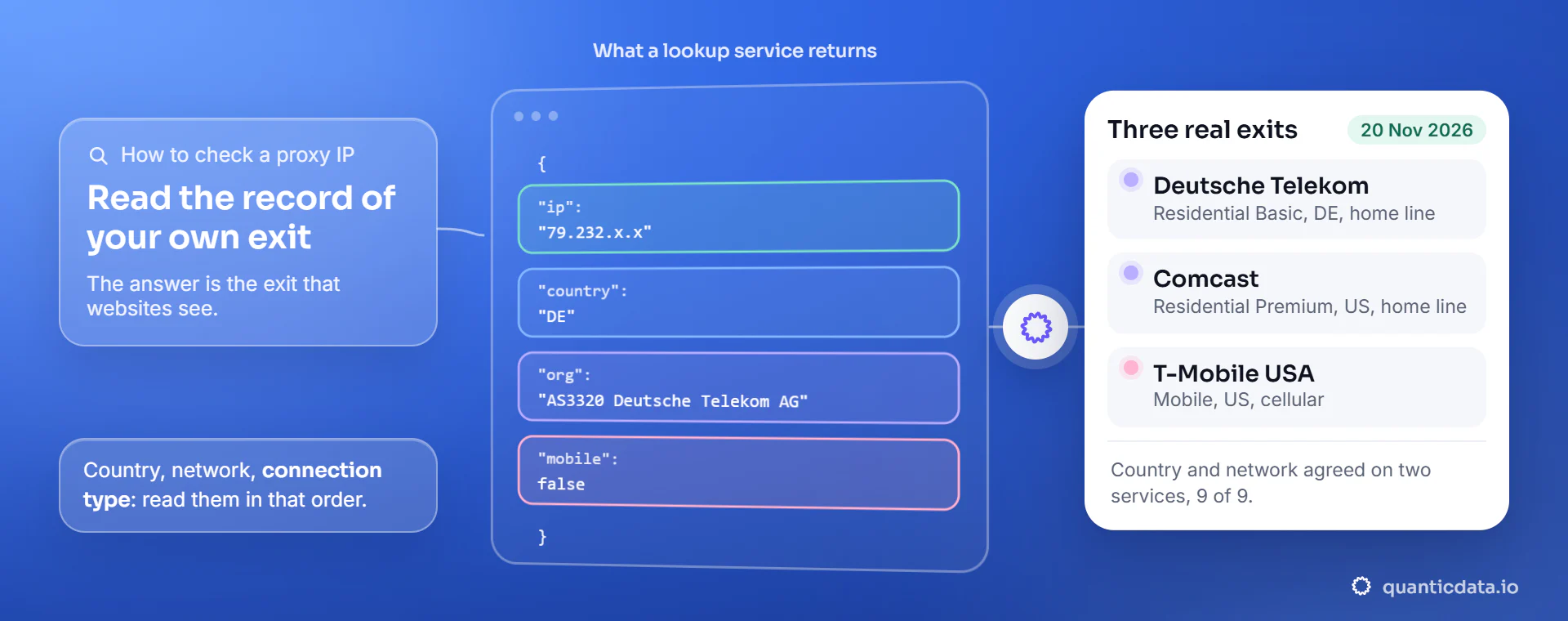
Read it in that order: the address, then the country, then the network. The country tells you whether the targeting worked; the network tells you what kind of address it is. A home provider such as Deutsche Telekom, Comcast or BT means a residential line, a carrier such as T-Mobile or Vodafone with mobile: true means a phone network.
Three real exits
Residential Basic, Residential Premium and Mobile.
| Residential Basic, Germany | Residential Premium, United States | Mobile, United States | |
|---|---|---|---|
| Address | 79.232.x.x | 174.63.x.x | 172.56.x.x |
| Country, both services | DE | US | US |
| Region and city, ipinfo.io | Hesse, Frankfurt am Main | Georgia, Augusta | New Jersey, Harrison |
| Region and city, ip-api.com | Hesse, Frankfurt am Main | Georgia, Hephzibah | New York, New York |
| Network (ASN) | AS3320 Deutsche Telekom AG | AS7922 Comcast Cable Communications | AS21928 T-Mobile USA |
| Connection type, ip-api.com | mobile: false (home line) | mobile: false (home line) | mobile: true (cellular) |
Same shape on every network: a country that matches the username, a network that names the provider, and a connection type that separates home lines from phones. The Premium exit shows the usual city difference between databases: Augusta and Hephzibah, two places in the same state, for the same address.
Two services, side by side
Read the country and the network first.
| Field | Same on ipinfo.io and ip-api.com |
|---|---|
| Country | 9 of 9 |
| Network (ASN) | 9 of 9 |
The country and the network come from address registries, which is why two services give the same answer. The city is an estimate made by each database, so treat it as one. In our rotation test the country of all 825 exits, on all three networks and in 8 countries, matched the one set in the username (see IP rotation and proxy pools). To compare more databases side by side, use the proxy location checker.
Check from outside the proxy
When a tool shows you only an IP.
You can also look an address up without going through the proxy: put it in the URL of the service. We did it for the nine exits above, from our own connection, and got the same record every time. That is the way to check an IP that an app or a log shows you, or to keep a record of the exits a job used.
# no proxy: the address goes in the URL
curl "http://ip-api.com/json/203.0.113.10?fields=query,country,regionName,city,isp,as,mobile"
curl "https://ipinfo.io/203.0.113.10/json"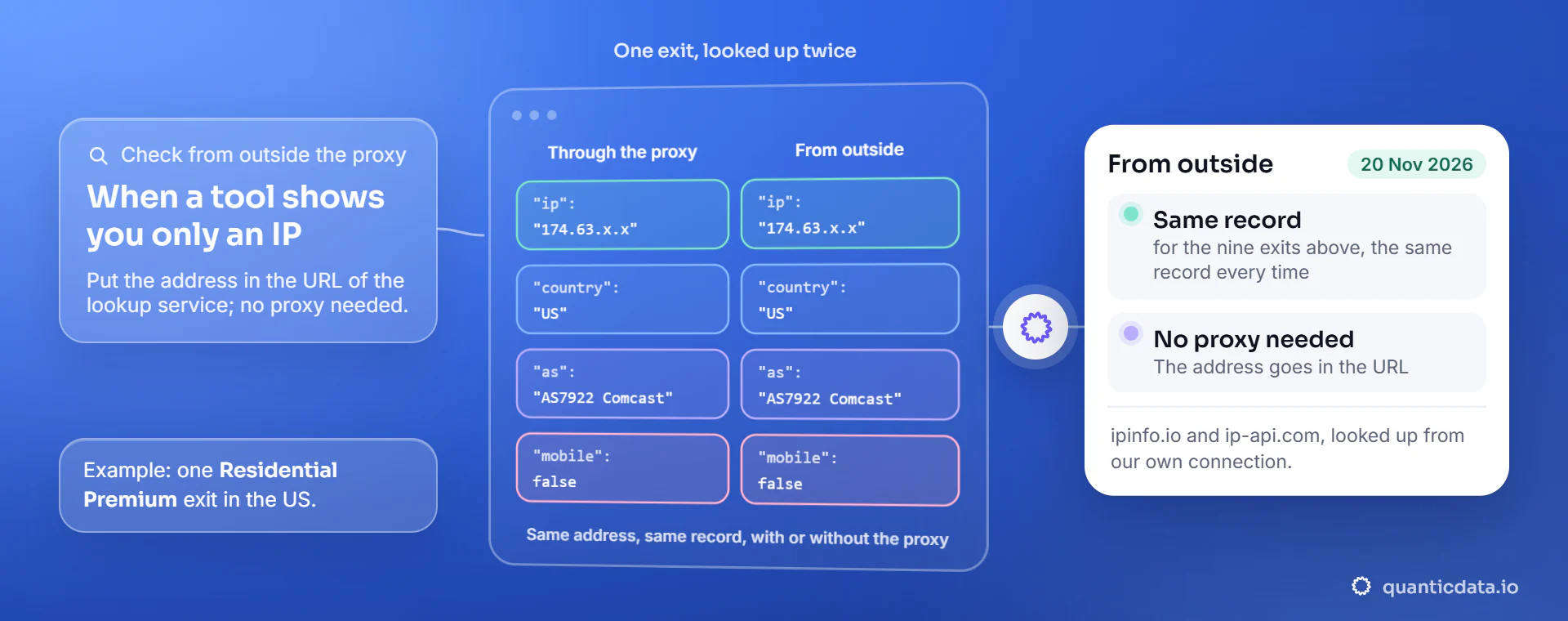
Check that a session holds
Run the check twice with the same session ID.
For a sticky line, the check is the same command run more than once: if the session holds, the address does not change. In our test two sticky sessions per network each kept one IP for 25 of 25 requests, and the two sessions got two different addresses on every network.
# same session ID twice: the same exit
curl -s -x "http://HOST:PORT" -U "USER-sid-check1-ttl-10m:PASS" https://api.ipify.org; echo
curl -s -x "http://HOST:PORT" -U "USER-sid-check1-ttl-10m:PASS" https://api.ipify.org; echoWhich proxy your machine uses
The other meaning of "check proxy IP".
Sometimes the question is not the exit but the setting: which proxy, if any, Windows is configured to use. In Command Prompt, netsh winhttp show proxy prints the system proxy that Windows services use, and answers "Direct access (no proxy server)" when there is none; the proxy of the browser is in its own network settings. A proxy that you set in a script or a tool, as on this page, does not appear there: it lives in the command line or the code.
To test many proxy lines at once, or one from the browser without the command line, the proxy tester reads the exit, the location and the response time of each line.
Questions people ask
Checking a proxy IP, answered
How do I check my proxy IP address?
Send a request through the proxy to an IP lookup service, for example curl with -x to https://ipinfo.io/json. The address in the answer is your proxy exit, the IP websites see, with its country, region, city and network.
How do I check a proxy IP in Command Prompt?
Run curl.exe, which ships with Windows 10 and 11: curl.exe -x http://HOST:PORT -U USER:PASS https://ipinfo.io/json. To see whether Windows itself is set to use a proxy, run netsh winhttp show proxy.
How do I check the location of a proxy IP?
Read the country, region and city fields of the lookup. The country and the network agreed on two services for 9 of 9 of our exits; treat the city as an estimate and compare databases with the proxy location checker.
Where do I find the proxy IP and port?
In the proxy line your provider gives you. At QuanticData the dashboard generator writes each line with host, port, username and password; the exit IP is not fixed in the line on rotating plans, which is why you check it with a lookup.
What does mobile: true mean in an IP lookup?
The address belongs to a mobile, cellular network. In our test all 100 US exits of the Mobile plan were reported that way, on T-Mobile USA, Verizon and AT&T, while residential exits showed home providers.
Does the lookup service see my real IP?
No, only the exit. The service answers from the address the request arrives from, which is the proxy exit; in our checks the address in every record belonged to the exit, in the country set in the username, never to our own connection.
Read the record of your own exit.
Run the two commands above on a free line: 100 MB of Residential Basic for 5 days, no card needed. Then pay once, from $0.80 per GB on residential or $2.30 per GB on mobile.