Yes. When you extend an ISP proxy plan before its expiry date, the plan keeps the same static IPs for the new term. The address is tied to the plan, so extending the plan keeps the IPs it has. The one thing to watch is the date: extend while the plan is active.
This page explains how renewal works on each of our ISP proxies plans, where the button is, what the renewal costs, and how to check the expiry date and the address yourself. The facts come from our product pages and API reference as they read on 20 November 2026, and from a check we ran the same day on one of our own lines.
The rule in one line
An ISP proxy, also sold as a static residential proxy, is one IP registered to an internet provider and dedicated to you for the term you paid. It does not rotate. Extending the plan adds days to the same plan, so the IPs in it stay where they are. Our API reference says it in so many words for Premium ISP: the renewal "extends the plan by its own term with the same IPs". The city plan page says the same: renewals keep the same IPs.
A new order is a different thing. A plan bought after the old one has ended is a new plan and does not reserve the addresses you had. So if an account, an allowlist or a partner knows you by one address, the action that keeps it is extending the plan, done before the expiry date.
How renewal works on each ISP plan
| Plan | You extend by | What stays the same |
|---|---|---|
| Standard ISP, by country | The lengths offered in the dashboard | The IPs of the plan |
| Premium pools | 30 days each time | The IPs of the plan |
| Premium by city and carrier | The plan's own length, from 1 day to 3 months; some plans can also take a longer one | The IPs, in their city and on their carrier |
Standard ISP is priced per IP, from $3.80 per IP for 1 to 10 IPs down to $2.50 per IP from 101 IPs, with a discount on the total by term: 1% at 30 days, 5% at 60, 7% at 90 and 12% at 120. The full ladder is on ISP proxy pricing per IP, which also gives the rule for Standard: renew the IPs you keep before the term ends and let the others expire. On city and carrier plans, a plan with a carrier you picked by its ASN keeps that carrier, and the carrier fee is part of every renewal, as it was at purchase. Some city plans can also be extended for a longer length; the renewal quote lists the lengths each plan can take, so you can start short and stay on the same addresses.
There is no subscription. Nothing is charged unless you extend, and you extend only the plans you want to keep.
Where to extend the plan
Extend the plan from My proxies in the dashboard, while it is active, and check the new expiry date on the plan afterwards.
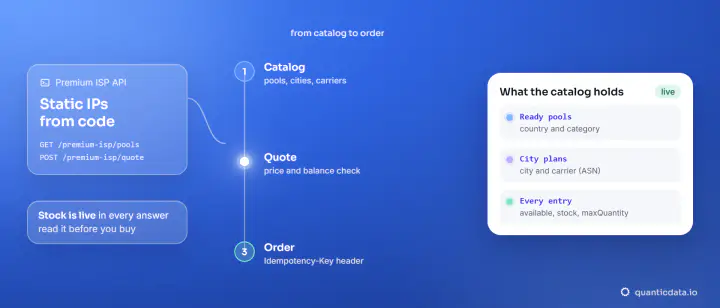
With an API key the same two steps are two calls, described in the API reference: GET /public/premium-isp/orders/{orderId}/renewal returns the price, with every length the plan can take, and POST to the same path extends it, paid from the balance. The POST needs an Idempotency-Key header, so a retry never charges twice.
Check the expiry date
The date is on the plan card in the dashboard. A script can read it too: the plan list of the API returns the expiry of every plan and the days left. This is what it returned for our test plan on 20 November 2026 (one IP, bought for 30 days):
"planTypeName": "ISP Premium",
"ips": 1,
"expiresAt": "2026-11-25T20:29:18.000Z",
"daysRemaining": 6,
"isActive": true
Put a reminder a few days before expiresAt. The time is in UTC.
Check that the address has not changed
A static IP is easy to verify: ask an IP echo service through the proxy and compare the answer with the address in your dashboard. We did it on 20 November 2026 on our test line, 5 requests in a row and then 20 at once, over HTTP and SOCKS5:
curl -s -x http://USER:PASS@HOST:PORT https://api.ipify.org
x.x.x.x
The answer was the same address on 25 of 25 requests, the one listed on the plan. Run the same command after you extend and compare the answer with the address on the plan. What the rest of the lookup tells you, country, provider and connection type, is in how to check a proxy IP.
Keeping one IP for months
Many customers ask for an address that stays the same for three months or more. There are two ways to get there, and they can be combined:
- Buy a long term at the start. Standard ISP sells up to 120 days in one order, and city plans up to 3 months.
- Extend before each expiry. Each extension adds a term to the same plan, on the same addresses.
A session on a rotating network is a different tool: the session name and its length are settings in the username, meant for a login or a checkout. For an identity that has to last weeks, a static IP is the right product; the two are compared in sticky and rotating sessions.
What else stays, and what is bought again
- Stays: the IPs of the plan, and with them their country or city and their carrier.
- Changes: the expiry date.
- Bought with a new plan, not with a renewal: paid IP swaps on city plans. They are bought together with the plan, up to 5.
If you are buying your first plan, how long proxies take after payment covers what happens between the payment and the first request, and static residential proxies explains the product in plain words.