Web data for AI agencies: keep client answers current
Your client changes a service, launches a product or publishes a new guide. Their AI workflow needs the new information and a source it can show. QuanticData gives AI agencies website discovery with Map, structured web search with SERP, and AI citation data for reporting, through REST or MCP.
$2 of free API usage per month · No card required · Failed calls are never billed
Client problem
“The chatbot still describes our old offer.”

Map     → find relevant pages
Select  → keep the useful sources
Read    → get current page content
Store   → update your knowledge base

Start with the work your client needs done
A chatbot, a research assistant and a client report need different inputs. Start with the question the client cannot answer reliably today, then choose the data step that makes the answer possible.
“Our chatbot is using old website content.”
Use Map to find the relevant website URLs. Select service pages, help articles or documentation before acquiring their content with Crawl or Batch. Store the source URL alongside each document so an answer can point back to the page it used.
Your workflow decides when to run again, compares the new content with the saved version and updates its index. This makes a website change a defined maintenance task instead of another manual research session.
“Our research assistant needs information beyond our files.”
Use SERP for structured web search with the query, country and language your client needs. Select useful results, read those pages and keep the evidence with the answer. A search result helps you find a source; the page content is what supports a detailed claim.
This works for supplier research, company briefings and new-topic discovery. REST fits your application code; MCP makes the tools available to a compatible agent.
“The client wants to know where their brand appears in AI answers.”
Use AI Citations through the AI Visibility API with a repeatable set of buyer questions. Keep brand mentions separate from links to the client’s pages, and record the engine and mode used for each observation.
For a reporting service, follow the SEO agency workflow. Citation observations measure the tested answers; they do not by themselves explain why an assistant chose a source.
Inspect a real Map result before building the workflow
6 documentation URLs returned on 31 October 2026. We mapped quanticdata.io with the filter /docs/ and a return limit of six. The result included the documentation home and Python, Node, cURL and PHP quickstarts, plus the Markdown documentation file.
This is a discovery sample, not a complete crawl or a performance benchmark. Inspect the URLs before acquisition: an HTML page and its Markdown twin can represent the same information. Keep the representation your application needs and use the source URL as a stable reference.
Try the same process on a client-approved public website. Agree which sections should be included, check the selected URLs together and then acquire the text. Confirm coverage using the pages your client expects to find, rather than treating a large URL count as success.
Turn one client source into a repeatable delivery
| Client input | Data step | Deliverable to check |
|---|---|---|
| A website and the sections that matter | Map, then selected acquisition | URL inventory and source-linked documents |
| A question, market and language | SERP, then source reading | Results and a briefing with evidence |
| A brand and buyer questions | AI Citations | Dated observations with mentions and cited URLs |
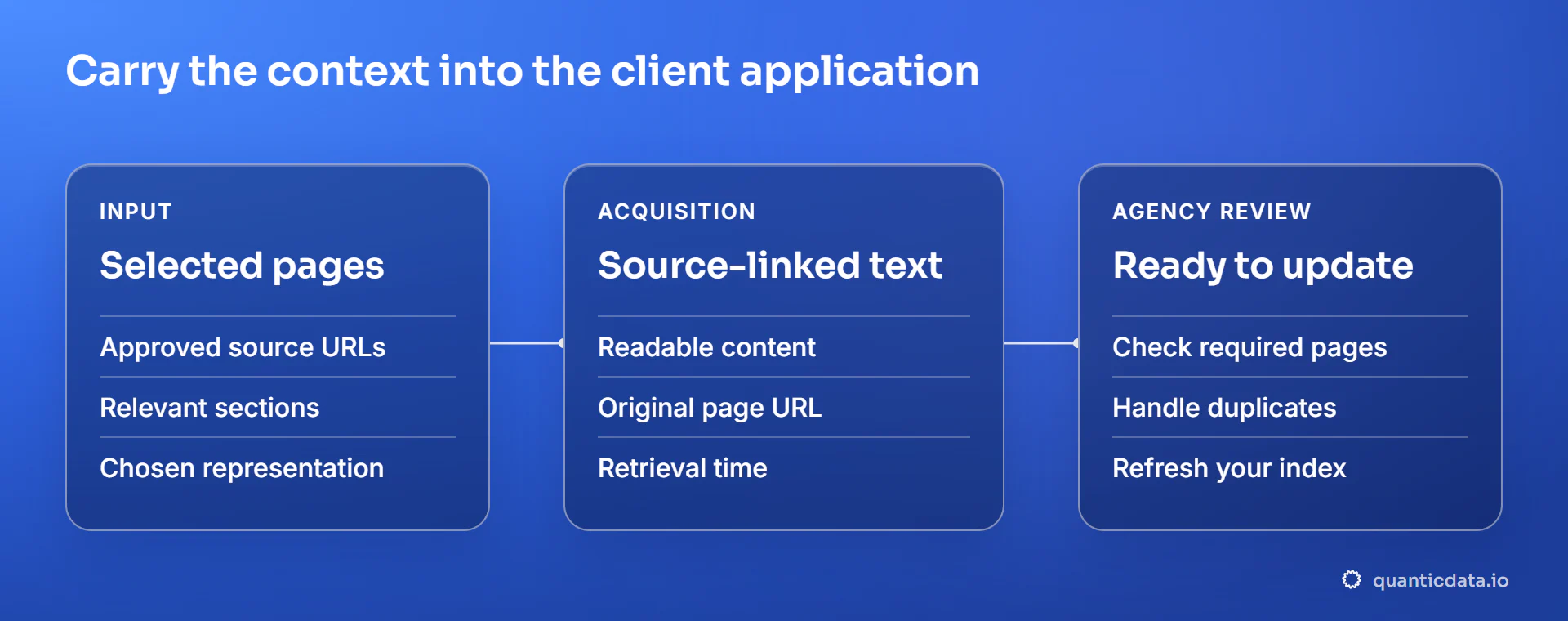
Start with a small source set and define what a useful result looks like. Your acceptance check can cover required pages, readable text, duplicate handling and links back to the evidence. Keep the input and retrieval time so the next run is comparable.
When the sample works, connect it to your database, vector store or reporting system. Scheduling, indexing and customer-facing delivery remain in the workflow you control. Keep an unsuccessful retrieval distinct from a valid empty result, so a collection problem does not silently become an answer.
Choose the capability, then connect your stack
Map is useful when you need to discover URLs. Crawl explores and acquires pages within the scope you set. Batch works with a list of known URLs. SERP finds sources across the web. AI Citations observes the sources and mentions in supported AI answer modes. These are different steps, so your project can combine only the ones it needs.
The examples here are starting points. Migration inventories, supplier documentation and other source-based workflows can use the same capabilities when their inputs and requirements fit. You do not need to match a named sector to use the service.
Use the API reference to check current inputs and outputs. If your client wants structured data from a supported source, a collector may already provide it. Managing proxies is relevant when you run your own acquisition application; it is not a prerequisite for receiving results from these Data APIs.
Use sources you are permitted to access and follow their applicable terms.
Test the source behind your next client project
Start with Map for one website, SERP for one research question or AI Citations for a buyer-question panel. Use the documented REST calls or your MCP client. $2 of free API usage per month.
Sources and standards
Check the current API contracts and the discovery and acquisition steps used in these workflows.
FAQ
Practical answers for connecting client sources to the AI workflow you build.
Something else? Ask usHow do I keep a website chatbot up to date?
Discover the pages that matter, acquire their current content and retain the source URLs. Run those steps on the schedule your application needs, compare snapshots and update the knowledge base. Map handles URL discovery; your workflow manages scheduling, indexing and the chatbot itself.
Does Map return the text of every page?
Map discovers URLs using website discovery sources. Use it to inspect and select pages before acquiring their content with Crawl, Batch or a page read. Check the returned scope and limits against your project; discovering a URL and reading its content are separate operations.
Can I connect this to an existing AI or n8n workflow?
Yes. Use the documented REST endpoints from an HTTP step, or connect a compatible client to the QuanticData MCP server. Keep credentials in your workflow’s credential store. Your automation supplies the schedule and connects the returned data to the destination you already use.
Do my clients need to understand proxies?
No. Start with the information they need and the output they can verify. Data APIs and collectors handle the acquisition step for supported requests. A proxy becomes relevant when your agency already runs its own scraper or application and needs to manage its network connection.
Are these workflows limited to chatbot projects?
No. The examples illustrate capabilities rather than an exclusive list of uses. Website inventories, supplier research, company briefings and document discovery can use the same steps. Confirm that the required source, input and output are supported, then define a sample your client can assess.
Build the first useful result
Start with one source and an output your client can check.
Get my free API key