AI visibility reporting for SEO agencies, with sources
When a client asks why competitors appear in AI answers, start with evidence they can inspect. QuanticData helps SEO agencies record brand mentions and cited URLs, compare search results by market, and find the website pages to review. Combine AI Citations, SERP and Map in the reporting workflow you already use.
$2 of free API usage per month · No card required · Failed calls are never billed
Client problem
“Where does our brand appear in AI answers?”

Ask     → a fixed set of buyer questions
Record  → mentions and cited source URLs
Compare → the same panel over time
Review  → the pages behind the observations

Answer the client’s question before showing a score
“Are we visible?” can mean several things. A brand can be named without a link, while a guide can be cited without recommending the company. Keep these observations separate and show the question that produced each answer.
“Which questions make our brand appear?”
Start with a panel of buyer questions agreed with the client: the problem they need to solve, the options they compare and the details they check before choosing. Use AI Citations through the AI Visibility API to collect the observations.
Keep the question, engine, mode, country and run time with the result. A repeatable panel is useful for comparison; it is not a measurement of every conversation people have with assistants.
“What do buyers find in our target market?”
Use SERP to collect search results with a declared query, country and language. Review the organic results and any additional blocks actually returned. This gives the agency a separate view of search discovery to place beside the AI-answer panel.
Keep search position and citation position in different columns. They describe different observations and should not become one unexplained visibility score.
“Which pages should we investigate next?”
Use Map to inventory the client’s relevant pages: services, products, documentation and guides. Match those URLs with the pages cited in the panel and the questions the client wants to answer.
Acquire and review selected pages before proposing edits. Map finds URLs; the content review establishes what those pages actually say. The result is an editorial task tied to a question and a page, rather than a generic instruction to publish more.
Inspect what one panel actually returns
One question returned four cited source URLs on 31 October 2026. We asked “Which APIs provide structured web search results for AI agents?” using the DeepSeek mode. The response returned separate mention, citation, URL and coverage fields.
Download the measured field summary · Download the blank client-report template
In this mode, QuanticData retrieves Google results and passes them to DeepSeek to answer with sources. It is a search-grounded mode, not a capture of the consumer DeepSeek interface. The sample verifies the collection format; it is not a claim about the client’s or QuanticData’s visibility.
Other modes have their own retrieval methods. The OpenAI mode uses the model API with web search, rather than the consumer ChatGPT interface. Read the current engine notes and keep that context in the report. A technical page-access audit answers a separate question from whether an answer cites the page.
Give every recommendation a page and a reason
| Observation | Next review | Evidence to retain |
|---|---|---|
| A source is cited for a buyer question | Read the cited page and compare the information it provides | Question, response and source URL |
| A service page is relevant to the panel | Use Map to locate it, then inspect the content | Page URL and the answer it supports |
| Results differ between markets | Compare searches with matching settings | Query, country, language and run time |
| A panel changes after an edit | Review several comparable snapshots | Same questions, modes and observation dates |
A change after publication is an observation, not proof that the edit caused it. Responses can vary between runs. Keep the comparison useful by retaining the panel and recording any changes to settings or page content alongside the results.
Use the API reference to build the retrieval step, then store the snapshots in your own reporting system. Scheduling and a client-facing dashboard are parts of that integration. This lets the agency decide the reporting format and review cadence.
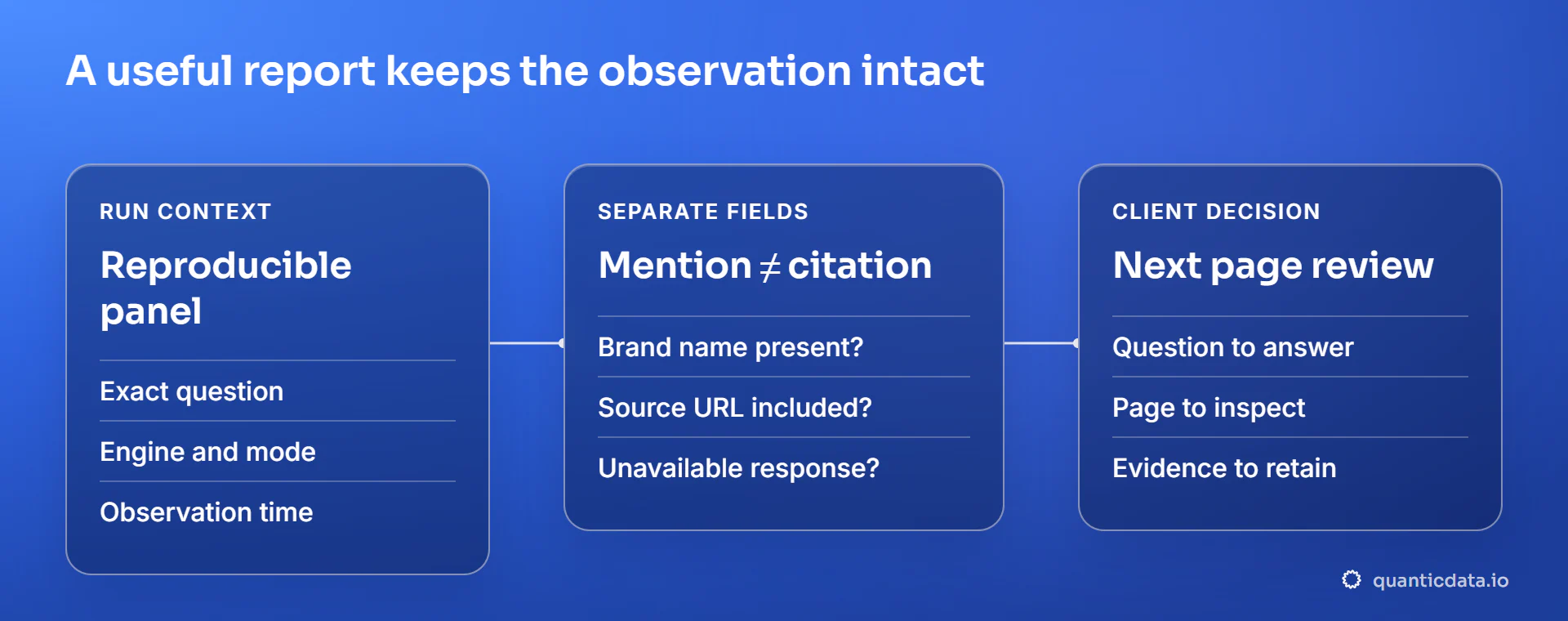
Keep the report useful for the next decision
Use separate fields for a valid answer, a brand mention and a cited URL. Record an unavailable observation separately so it does not look like a successful answer with no mention. When calculating a citation rate, declare which valid responses are in the denominator and which engines are being compared.
Keep the exact cited URLs when the mode supplies them. A domain-level total can help summarize a panel, but the page URL is what gives an editor something concrete to inspect. Your report should make it easy for the client to move from a finding to the underlying source.
These examples are not an exclusive list of uses. The same evidence can support a pitch, a recurring client report, a content review or a research application. Choose the workflow by its required data and supported capabilities, not by whether its industry is named here.
Google’s guidance for AI features describes ordinary search eligibility and useful, accessible content. Neither a readable page nor an agent instruction file guarantees that an answer will cite it.
Build a panel for your next client report
Choose a client page, brand and a small set of buyer questions. Run AI Citations in a documented mode, then use SERP and Map where the follow-up needs search or page discovery. $2 of free API usage per month.
Sources and standards
Use the product reference for supported modes and Google’s own guidance for search eligibility.
FAQ
How to turn questions, mentions and cited pages into a client report that can be checked.
Something else? Ask usWhat should an AI visibility report show a client?
Show the buyer question, engine and mode, observation date, brand mention and cited URLs where available. Keep valid answers distinct from unavailable observations. Add the source pages and the next review action, so the client can inspect the evidence behind the agency’s recommendation.
Is a brand mention the same as a citation?
No. A mention means the brand name appears in an answer. A citation means a source URL is included. Either can occur without the other. Keep both fields in the report and avoid treating a cited educational page as automatic evidence that the assistant recommends buying from its publisher.
Does the API reproduce the consumer ChatGPT interface?
The OpenAI mode uses the model API with web search. It is not a browser capture of the consumer ChatGPT interface. Other modes also have specific retrieval methods. Record the mode and current engine notes with each observation rather than describing all runs as the same user experience.
Can I compare a client with competitors over time?
Use the same questions and settings, retain each dated response and review the cited sources. The API reports citation observations and domain summaries for the tested panel. Your workflow stores the history and schedules subsequent calls. A changed result does not by itself establish what caused the change.
Do we need a new page for every buyer question?
No. Group questions that express the same need and improve an existing page when it already covers the intent. Create a separate page when the problem, evidence or decision is materially different. The aim is a useful source a client can inspect, not a larger count of near-duplicate pages.
Start with the questions your client cares about
Create a small panel, inspect the sources and keep the first snapshot.
Get my free API key