How to use the Web Unlocker in the dashboard: video guide
A 1:31 screen recording with captions of the Web Unlocker page in the QuanticData dashboard: the Getting started steps, prepaid GB on the residential or mobile network, the three ways in (REST call, proxy line, direct mode), the proxy user, the proxy list builder, a test request and the account numbers.
The same steps in writing, with every field and error: Web Unlocker: how it works, the three ways in and the price.
Chapters
Transcript
The captions of the video, line by line. Click a time to jump there.
- 0:00The Web Unlocker in your dashboard: buy GB,
- 0:02pick a way in, and send the first request.
- 0:06The page opens on Getting started: three steps,
- 0:08ticked as you do them, and the guides for this product.
- 0:14GB are prepaid.
- 0:15Pick the network the site expects, residential or mobile, then a pack:
- 0:19one payment, no subscription, and the pages you can expect.
- 0:22This demo account already has GB, so we stop before buying.
- 0:27Three ways in: a REST call with your API key, a proxy line for a
- 0:31scraper that already speaks proxy, or direct mode with no certificate.
- 0:35Every snippet is filled with your own key, user and host.
- 0:40The proxy user is the login for the proxy and direct mode,
- 0:43separate from your API key.
- 0:44Host, port, username and password:
- 0:46the password is shown once, then hidden until you ask for it.
- 0:50Build the proxy list: country, region and city,
- 0:52rotating or sticky, how many lines and the format your tool takes.
- 0:56Every option travels in the username. Copy all, or download the file.
- 1:02Test a URL from the page.
- 1:04The answer carries the status, the tier that served it,
- 1:06the attempts, the latency, the bytes moved and the cost.
- 1:09A blocked page is never a silent success.
- 1:14Your numbers keeps the success rate of the last seven and thirty days,
- 1:18the median latency, and the last requests, REST and proxy together.
- 1:23Your Web Unlocker page is at app.quanticdata.io/unlock.
- 1:25Every field and error is in the API reference.
Where to go next
Pages that block scrapers, read
The Web Unlocker answers with the status, the tier that served the page, the attempts, the latency and the cost of every request, over REST, a proxy line or direct mode.
More video guides
 1:54How to get a list of Italian businessesWatch the video
 1:40How to buy a list of Italian businesses in the dashboardWatch the video
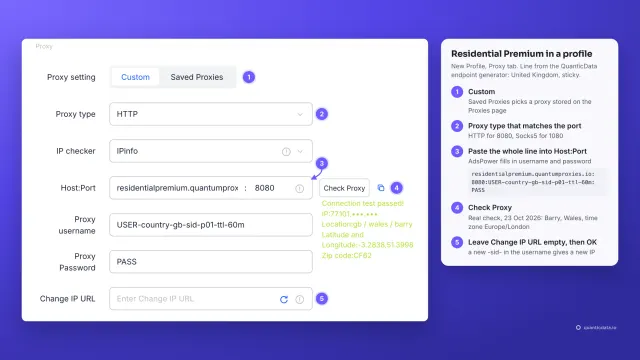 1:34How to add a proxy to AdsPowerWatch the video
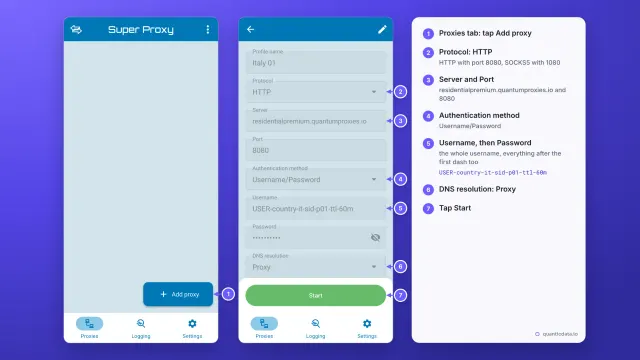 1:33How to set up a proxy on AndroidWatch the video
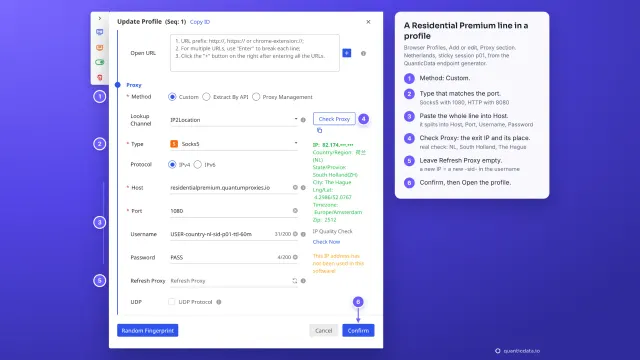 1:35How to add a proxy to BitBrowserWatch the video
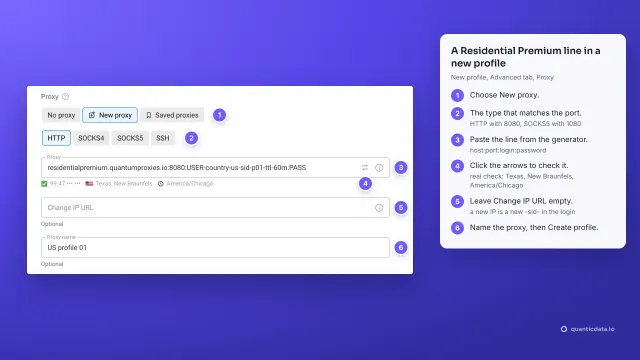 1:37How to add a proxy to Dolphin AntyWatch the video