Residential Proxies for Claude
Residential proxies for Claude are home-ISP IP addresses that let you monitor Claude's answers by country and give browsing agents a home address. Rotate them for data, or keep one IP per account for up to 24 hours. Plans start at $1.00/GB and fall to $0.80/GB, with a free 100 MB trial.
On 14 September 2026 we loaded claude.ai in a real-browser test through a QuanticData residential exit on Charter Communications Inc (AS10796) in the United States: HTTP 200.
Home-ISP IPs in 228 countries · Rotating or sticky · HTTP and SOCKS5

What is Claude, and why put a proxy in front of it?
Claude is Anthropic's assistant: a chat app at claude.ai, Projects and Artifacts for teams, and an API that powers coding agents and customer-facing products. Proxies enter the picture for two reasons. First, geography: the answers, the availability of features and the sources a web-enabled conversation opens all depend on where the request originates, so teams that monitor or test Claude in several markets need exits in those markets. Second, agents: a Claude-based agent that browses the web, scrapes documentation or fills forms produces outbound HTTP traffic, and that traffic is far better received when it leaves from a residential or mobile address than from a cloud provider's range.
What people use residential proxies for on Claude
Four workflows we see on Claude. None of them needs a proxy to break Claude's rules; all of them need a network location and a reputation the platform treats as ordinary.
Brand and category monitoring
Sample what Claude says about your company, your competitors and buying criteria from the countries you sell in, on a schedule, and diff the answers over time.
Regional QA of Claude-powered products
If your product embeds the Claude API, test the end-to-end experience — including any web fetches your app makes — as a user in France, India or Australia would see it.
Egress for computer-use and browsing agents
Give the agent its own stable exit so sites see one consistent visitor. A sticky mobile session keeps carts, logins and multi-step forms on one address.
Research at scale through the API
Retrieval pipelines that fetch thousands of public pages for context benefit from rotating residential exits: each page from a fresh home IP, no single address rate-limited.
Why residential proxies for Claude
Residential proxies are the workhorse for retrieval and monitoring: home ISP addresses with country, state and city targeting, priced per GB from $1.00 down to $0.80, rotating on every request when you fetch many pages, sticky when a flow needs one identity. For sampling Claude's answers across ten countries every morning, ten residential exits cost a few cents.
What a proxy does not do. A proxy changes where your requests appear to come from; it does not change your Anthropic account, its usage limits or the acceptable-use policy. Whether the service is offered in a given country is between you and Anthropic. Carrier IPs for the same job are on the mobile proxies for Claude page.
Sources: Anthropic Consumer Terms of Service and Anthropic supported regions policy.
Best residential proxies for Claude
Claude's web app and the Claude Code CLI both hold a session token, and both are happier on one stable exit than on a rotating one; the API alone tolerates rotation. Availability and localized answers depend on the exit country. With QuanticData the exits asked for most are the United States, the United Kingdom and India, with state and city targeting in the username at no extra cost.
Prompts and completions are small; the bandwidth goes into whatever the agent fetches, not into the model calls. On the residential network that means Residential Basic or Premium, rotating or sticky for up to 24 hours, from $1.00/GB with a free 100 MB trial. For Claude the residential network is the usual choice: the work is a stable session for the web app or Claude Code, plus sampling answers per market, and a home-ISP exit in the right country is what that needs.
Which session to use for Claude: sticky or rotating
Rotating for data, sticky for accounts. Sticky for anything logged in (claude.ai profiles, agents that hold a session on a third-party site); rotating for API-driven retrieval where every fetch is independent. Country, session and targeting go in the username; credentials are in your dashboard after purchase.
# PROXY_HOST = host:port shown in your dashboard
# rotating: a new home IP on every request
curl -x "$PROXY_HOST" -U "USER-country-us:PASS" https://ipinfo.io/json

# sticky: keep one IP for a session (session ID and lifetime are set in the generator;
# up to 24 hours on Basic and Premium)
curl -x "$PROXY_HOST" -U "USER-country-us-sid-claude-ttl-30m:PASS" https://ipinfo.io/json

# state and city targeting
curl -x "$PROXY_HOST" -U "USER-country-us-region-REGION-city-CITY:PASS" https://ipinfo.io/json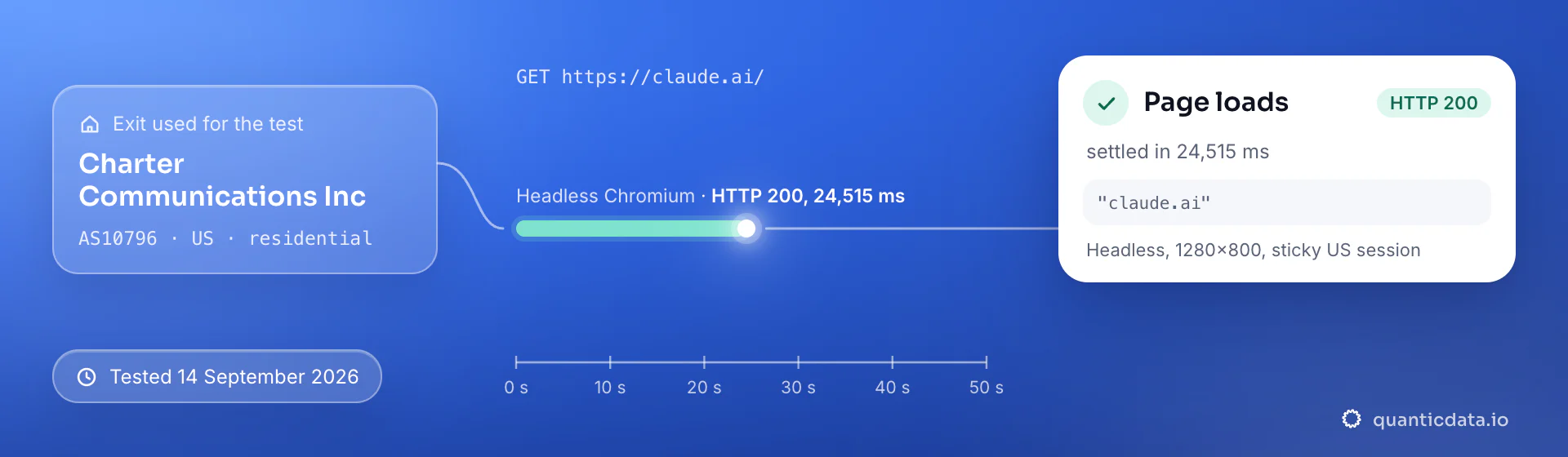
Best countries for Claude residential proxies
The exits most often asked for with Claude, and why. Every country page lists the networks available and the username codes.
Residential Proxies pricing for Claude
Residential Basic, per GB, bandwidth valid for the whole plan term. Intermediate bundles and the Premium line (from $2.20/GB, city and ISP catalog) are on the plans page. Free trial: 100 MB on Basic for 5 days, no card.
The same pool at every tier — a small test costs exactly $1.00/GB. Full ladder and terms on the pricing page.
How to start with Claude in minutes
- Create a free QuanticData account and open Plans → Residential; pick a bundle — $1.00/GB is enough to test Claude on your real workflow.
- Copy host, port, username and password from the dashboard. Put the country in the username (
-country-us), and state or city if the job is local (-region-…-city-…), and a session ID with a lifetime when the Claude flow must keep one IP. - For claude.ai use a browser profile per account with the proxy set in the profile. For agents, set HTTPS_PROXY (or the SDK's proxy option) in the environment where the agent runs its HTTP calls; the API call to Anthropic itself does not need a proxy.
- Run a small sample first and watch how Claude responds; a residential IP is not a promise of access, acceptance or a particular success rate, and Claude's terms and the law apply to what you do through it.
Set it up for Claude
QuanticData residential proxies are standard HTTP and SOCKS5 endpoints: a host, a port, a username and a password, shown in your dashboard the moment a plan is active. The username carries the country, the state and the city, and the session; host, port and password never change. Below, a request to a public Claude page through the residential gateway, with rotating — no session ID — for collection; add a session ID and a lifetime when a Claude flow must keep one IP. A few requests a minute per session is plenty; the API itself does not need a proxy unless the agent browses.
# PROXY_HOST and PORT are shown in your dashboard
curl --proxy "http://PROXY_HOST:PORT" \
  --proxy-user "USER-country-us:PASS" \
  --connect-timeout 10 --max-time 30 \
  -A "Mozilla/5.0 (Windows NT 10.0; Win64; x64) Chrome/128.0 Safari/537.36" \
  "https://claude.ai/"
import requests
# host and port from your dashboard; country and session in the username
proxy = "http://USER-country-us:PASS@PROXY_HOST:PORT"
r = requests.get("https://claude.ai/",
proxies={"http": proxy, "https": proxy},
headers={"User-Agent": "Mozilla/5.0 (Windows NT 10.0; Win64; x64) Chrome/128.0 Safari/537.36"},
timeout=30)
print(r.status_code, len(r.text))SOCKS5 works with the same username on the SOCKS5 port (socks5h:// in Python's proxies, --socks5-hostname in curl), so the hostname is resolved at the exit.
FAQ
Residential Proxies for Claude: does it work, which session, how to set it up, proxy clients, mobile or residential.
Something else? Ask usDo residential proxies work with Claude?
QuanticData residential proxies work with Claude the way any proxy does: they change the network your traffic leaves from, to real home-ISP IPs in 228 countries. A proxy changes where your requests appear to come from; it does not change your Anthropic account, its usage limits or the acceptable-use policy. Whether the service is offered in a given country is between you and Anthropic.
Which proxy session should I use for Claude: sticky or rotating?
QuanticData recommends rotating IPs for data and a sticky session for accounts for Claude. Sticky for anything logged in (claude.ai profiles, agents that hold a session on a third-party site); rotating for API-driven retrieval where every fetch is independent. Sessions are set in the username (a session ID and a lifetime, up to 24 hours on Basic and Premium), so no proxy list is needed.
Should the Anthropic API call itself go through the proxy?
QuanticData recommends not proxying the API call: it is authenticated by your key and gains nothing from a residential exit while consuming bandwidth. Route only the agent's own web traffic — page fetches, searches, form submissions — through the proxy, where the network location and reputation actually matter.
How do I set up a residential proxy for Claude?
QuanticData gives you host, port, username and password the moment a plan is active: create a free account, open Plans → Residential, pick a bundle ($1.00/GB to start) and copy the credentials from the dashboard. For claude.ai use a browser profile per account with the proxy set in the profile. For agents, set HTTPS_PROXY (or the SDK's proxy option) in the environment where the agent runs its HTTP calls; the API call to Anthropic itself does not need a proxy. For Claude, the countries asked for most are the United States, the United Kingdom and India.
Can I use Shadowrocket with QuanticData for Claude?
QuanticData residential proxies are standard HTTP and SOCKS5 endpoints with a host, a port, a username and a password, so any client that accepts a proxy node works, Shadowrocket included: enter those four values as a server of type HTTP or Socks5 in Shadowrocket on the iPhone, and Claude traffic from the phone leaves through the exit set in the username. For Claude give each account its own sticky session — a session ID and a lifetime in the username — so the phone keeps one IP for the whole login. Host and port are in your dashboard; the HTTP and the SOCKS5 port are different, so pick the one that matches the node type.
Mobile or residential proxies for Claude?
QuanticData's answer for Claude is residential for most jobs, the network this page is about: the work is a stable session for the web app or Claude Code, plus sampling answers per market, and home-ISP addresses in 228 countries with state and city targeting cost from $1.00/GB. Mobile is worth its higher price only when a Claude account or app expects a phone; the mobile page for Claude covers that case.
Get residential proxies for Claude in minutes
Free account, pick a bundle, credentials in your dashboard. Residential starts at $1.00/GB.
Buy residential bandwidth Create a free account