To hide your IP address, send your traffic through another computer that has its own IP: a proxy, a VPN, Tor or a different network. The website then sees that computer's address, not yours. A proxy can be set per app or per script, and the IP can be a home or mobile address in the country you pick.
We tested it on 20 November 2026 from an Italian broadband line: the same lookup, once direct and then through three QuanticData networks, read by two IP databases. Exit IPs are masked.
What your IP address tells a website
Every request carries the IP it came from, and any site can look it up in a geolocation database. This is what came back for our own line and for three proxy exits, from ipinfo.io and from ip-api.com:
| Connection | Country | City (ipinfo.io) | City (ip-api.com) | Network | Flagged as proxy |
|---|---|---|---|---|---|
| Our own line, no proxy | Italy | one town | another town | an Italian broadband provider | no |
| Residential Basic, US | US | Tahlequah, Oklahoma | Tulsa, Oklahoma | Cox Communications | no |
| Residential Premium, DE | Germany | Wiesloch | Leimen | Deutsche Telekom | no |
| Mobile, US | US | St. Louis, Missouri | San Jose, California | T-Mobile USA (mobile: yes) | no |
So, to the question "what can someone do with your IP address": they get your country, a city guess, your internet provider and the time zone. Not your name and not your street. The two databases did not even agree on the town for any of the four addresses, and for the mobile exit they were about 1,700 miles apart. What an IP does give away is enough for a site to show local prices, to block a country, to link your visits together, or to rate how risky your address looks.
Sites keep that guess, too. Through a Residential Basic line, in a separate session, www.wikipedia.org set a cookie named GeoIP with the value US:AL:Mobile:...: the site had placed the exit in Mobile, Alabama, and stored it in the browser.
Four ways to hide your IP address
| Method | What the site sees | Scope | Pick it when |
|---|---|---|---|
| Proxy server | The proxy's exit IP, in the country you choose | One app, one browser or one script | You need a home or mobile IP in a given place, or a new IP per task |
| VPN | The VPN server's IP | The whole device | You want every app on the device covered and the link encrypted |
| Tor Browser | A Tor exit node | The Tor Browser only | You want anonymity and accept slow pages |
| Another network | The other network's IP | The device on that network | A quick change: phone data instead of Wi-Fi |
The difference between a proxy and a VPN is covered in residential proxy vs VPN. The rest of this post is about the proxy route, because it is the one we can show end to end with real output.
Hide your IP with a proxy, step by step
- Get a proxy line. It looks like
http://USER:PASS@HOST:PORT; the username carries the country and a session name. - Check your real IP first.
curl https://ipinfo.io/jsonprints the address and the place a site sees today. - Send the same request through the proxy.
curl -x http://USER:PASS@HOST:PORT https://ipinfo.io/json. The IP, the city and the network in the answer are now the proxy's. - Do the same in the browser or app you use, then close the WebRTC leak (below) if it is a browser.
curl -x http://USER-country-de-sid-hd01-ttl-30m:PASS@residentialpremium.quanticdata.io:8080 https://ipinfo.io/json
{
  "ip": "x.x.x.x",
  "city": "Wiesloch",
  "region": "Baden-Wurttemberg",
  "country": "DE",
  "org": "AS3320 Deutsche Telekom AG",
  "timezone": "Europe/Berlin"
}
Output shortened. The request left from Italy and arrived from a Deutsche Telekom home line in Germany. More options for the command line are in how to use a proxy with curl.
Change your IP on demand: random IP, IP scrambler, fake IP
"Random IP", "IP scrambler" and "fake IP address" all mean the same thing in practice: a different real IP each time, not an invented number. You cannot write a made-up address into a request and get the answer back; the reply goes to the IP that really sent it. What changes the IP is a new exit. In our run, a new session name in the username gave a new exit each time:
| Mobile session | Place | Carrier |
|---|---|---|
| 1 | West Jordan, Utah | Verizon |
| 2 | Windermere, Florida | AT&T |
| 3 | Boston, Massachusetts | T-Mobile |
| 4 | Richmond, Virginia | Verizon |
| 5 | Yonkers, New York | Verizon |
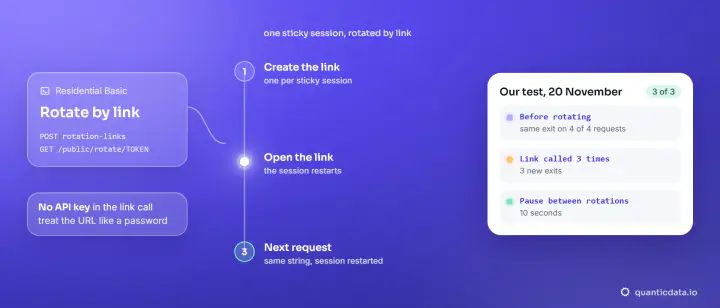
Five session names, five IPs on three carriers in five states, in one run. The session name and the session time are settings in the username: use the same name for the steps of one task.
To change the country, change one word. On Residential Premium, country-us, country-gb and country-jp gave Chicago on AT&T, Nuneaton on Virgin Media and Sapporo on NTT Docomo Business. On Mobile, country-gb and country-de gave Manchester on BT and Hannover on Deutsche Telekom.
The browser leak that can show your real IP anyway
A proxy changes the IP of the page requests. WebRTC, the browser's real-time calling feature, can still ask a STUN server for your address over UDP, outside the proxy. We ran it in Chromium 149 through our mobile line: the page saw a T-Mobile IP, and WebRTC reported the Italian line next to it. With Chromium's WebRTC policy set to disable_non_proxied_udp, the same check returned nothing at all. The full test and the fix for each browser are in our WebRTC leak test; DNS, the other usual leak, is covered in the DNS leak test through a proxy. The QuanticData Chrome extension offers WebRTC leak protection while a session is live.
Residential or mobile: which IP to hide behind
- Residential Basic and Premium exit from home lines (Cox, Deutsche Telekom, Virgin Media, AT&T in our runs) and let you pick the country. Pick them when a page should look like a visitor at home in a given market. The plans are on our page for residential proxies.
- Mobile exits from carrier networks (T-Mobile, Verizon, AT&T, BT, Deutsche Telekom in our runs), and ip-api.com labelled the exit as mobile. Pick it when the site expects phone traffic. See mobile proxies.
All three exits came back as "proxy: no" and "hosting: no" in ip-api.com. To see how other databases place an exit, use our proxy location checker; to see how an address scores for risk, the IP fraud score check. To try a residential IP first, there is a Residential Basic free trial.
What hiding your IP does not change
The IP is one signal among several. Cookies from earlier visits, a login, the browser's time zone and language, and its fingerprint still tie visits together. Hiding your IP is legal in most places; what you then do on a site stays under its terms and the law where you are.