To download a file with curl, use curl -O URL to save it under the name in the URL, or curl -o myname.ext URL to choose the name. Add -L so curl follows redirects; without it, many download links save an empty file. Without -O or -o, curl prints the file to the terminal.
We ran each command below on 20 November 2026 with curl 8.22.0 on Windows 11, then checked the files on disk. Sizes and messages are from those runs.
The options at a glance
| Goal | Command | Our result |
|---|---|---|
| Keep the remote name | curl -O https://httpbin.org/image/png | File png, 8090 bytes |
| Choose the name | curl -o logo.png https://httpbin.org/image/png | logo.png, PNG image data, 100 x 100 |
| Follow redirects | curl -L -o readme.txt URL | 200, 1461 bytes after 1 redirect |
| Save into a folder | curl --create-dirs --output-dir files/img -O URL | files/img/jpeg, 35588 bytes |
| Use the server's file name | curl -J -O URL | report.json from Content-Disposition |
| Fail on 404, keep no file | curl -f --remove-on-error -o f URL | exit 22, no file left |
| Resume | curl -C - -o f URL | 206, 3000 more bytes, identical file |
| Limit the speed | curl --limit-rate 50K -o f URL | 200000 bytes in 4.04 s |
-O and -o: which name the file gets
-O (capital O) takes the last part of the URL as the file name. For https://httpbin.org/image/png that is png, with no extension, which is why -o is often the better choice:
$ curl -sS -o logo.png https://httpbin.org/image/png
$ file logo.png
logo.png: PNG image data, 100 x 100, 8-bit/color RGB, non-interlaced
$ sha256sum png logo.png
541a1ef5373be3dc49fc542fd9a65177b664aec01c8d8608f99e6ec95577d8c1 *png
541a1ef5373be3dc49fc542fd9a65177b664aec01c8d8608f99e6ec95577d8c1 *logo.png
Same bytes, two names. The checksum line is also how to verify a download against a published hash. Without -O or -o, curl writes the file to your terminal; with a binary file that fills the screen with noise.
-L: follow redirects, or get an empty file
Download links often answer with a redirect to the real file. GitHub's "raw" links do: the first request returns 302 and an empty body. Without -L, curl saves that empty body and stops:
$ curl -sS -o readme-noL.txt -w "%{http_code} size=%{size_download}\n" https://github.com/curl/curl/raw/master/README
302 size=0
$ curl -sS -L -o readme.txt -w "%{http_code} size=%{size_download} redirects=%{num_redirects}\n" https://github.com/curl/curl/raw/master/README
200 size=1461 redirects=1
If a download gives you a 0-byte file, or a small HTML file instead of the archive, this is the first thing to check. -w "%{http_code}" shows the status in scripts.
Into a folder, with the server's file name
--output-dir files/imgputs the file in that folder;--create-dirscreates it if it does not exist. Our run createdfiles/img/jpeg, 35588 bytes.-o path/name.extalso takes a path into an existing folder:-o sub/logo2.pngsaved the 8090-byte image there.-J -Ouses the name in the server'sContent-Dispositionheader instead of the URL. Our URL ended inresponse-headers?..., and the file was saved asreport.json, the name the server sent.
Errors: do not save an error page as your file
curl saves whatever the server sends, error or not, and exits 0. A 404 with -o missing.html printed 404, exit 0, and left missing.html on disk (empty here; on most sites, an HTML error page). Add -f to fail on HTTP errors, and --remove-on-error so no partial or error file is left behind:
$ curl -sS -f --remove-on-error -o missing2.html https://httpbin.org/status/404; echo "exit=$?"
curl: (22) The requested URL returned error: 404
exit=22
$ ls missing2.html
ls: cannot access 'missing2.html': No such file or directory
Resume an interrupted download
-C - tells curl to look at the file already on disk and ask the server for the rest. We saved the first 2000 bytes of a 5000-byte file, then resumed:
$ curl -sS -r 0-1999 -o r.bin https://httpbin.org/range/5000      # r.bin: 2000 bytes
$ curl -sS -C - -o r.bin -w "%{http_code} got=%{size_download}\n" https://httpbin.org/range/5000
206 got=3000
$ curl -sS -o full.bin https://httpbin.org/range/5000
$ cmp r.bin full.bin && echo identical
identical
206 means the server sent only the missing part. Resume needs a server that supports ranges: another server we tried ignored the range request and answered 200 instead of 206, so check the status before trusting a resumed file.
Several files, globbing and a progress bar
curl -O https://httpbin.org/image/webp -O https://httpbin.org/image/svg     # webp 10568 bytes, svg 8984 bytes
curl "https://httpbin.org/bytes/[1-3]00" -o "bytes_#1.bin"                  # bytes_1.bin 100, bytes_2.bin 200, bytes_3.bin 300
One -O per URL. [1-3] in the URL makes curl fetch each number in turn, and #1 in the output name is replaced by the current value. -# swaps the progress table for a simple bar (###...### 100.0%), and --limit-rate 50K held a 200000-byte file to 49532 bytes per second.
Downloads that need a login, a timeout or a proxy
- Username and password:
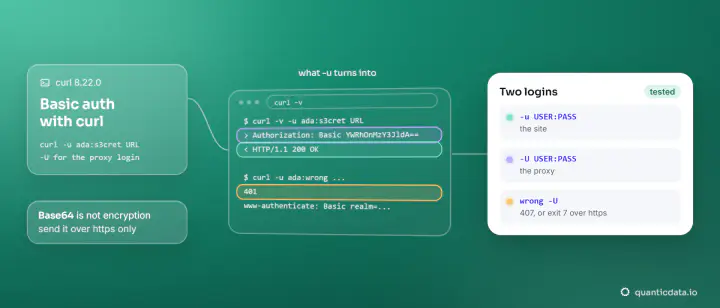
curl -u user:pass -o file URL; our test file arrived with"authenticated": true. See curl basic auth. - Timeouts: on big files, prefer
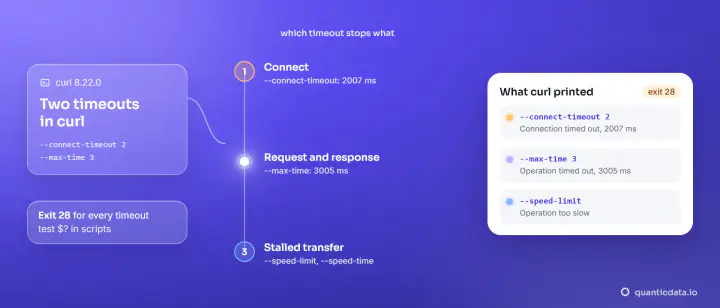
--speed-limitand--speed-timeto a short--max-time; see curl timeouts. - Through a proxy: add
-xand-U. We downloaded the same 1,000,000-byte file through three QuanticData networks:
curl -x http://residentialboson.quanticdata.io:10000 -U "USER-type-residential-country-us-session-ca01-lifetime-30:PASS" -o rb.bin "https://speed.cloudflare.com/__down?bytes=1000000"
curl -x http://residentialpremium.quanticdata.io:8080 -U "USER-country-de-sid-ca02-ttl-30m:PASS" -o rp.bin "https://speed.cloudflare.com/__down?bytes=1000000"
curl -x http://mobile.quanticdata.io:8080 -U "USER-country-us-type-mobile-sid-ca03-ttl-30m:PASS" -o mb.bin "https://speed.cloudflare.com/__down?bytes=1000000"| Network | Status | Bytes saved |
|---|---|---|
| Residential Basic, US | 200 | 1000000 |
| Residential Premium, Germany | 200 | 1000000 |
| Mobile, US | 200 | 1000000 |
Use the proxy for files that are served differently by country. how to use a proxy with curl covers gateways and SOCKS5, and wget with a proxy does the same for wget.
On Windows
Windows 11 ships the real curl as curl.exe; every command here ran with it. In Windows PowerShell, type curl.exe, not curl, which is an alias of Invoke-WebRequest there. /dev/null in our examples works in Git Bash; in PowerShell, curl.exe -o NUL -w "%{http_code}" URL discarded the body and printed 200.
Our residential proxies and mobile proxies take the -x and -U options shown above; there is a Residential Basic free trial.