PREMIUM ISP / SOCIAL
Static ISP proxies for TikTok
Static ISP proxies for TikTok keep a private outgoing IP assigned to your workflow for 30 days, with an option to extend. The social selection covers the US, UK and Germany, with unlimited bandwidth and low Scamalytics fraud scores. It provides a consistent connection for compatible browsers and applications that support proxy configuration.
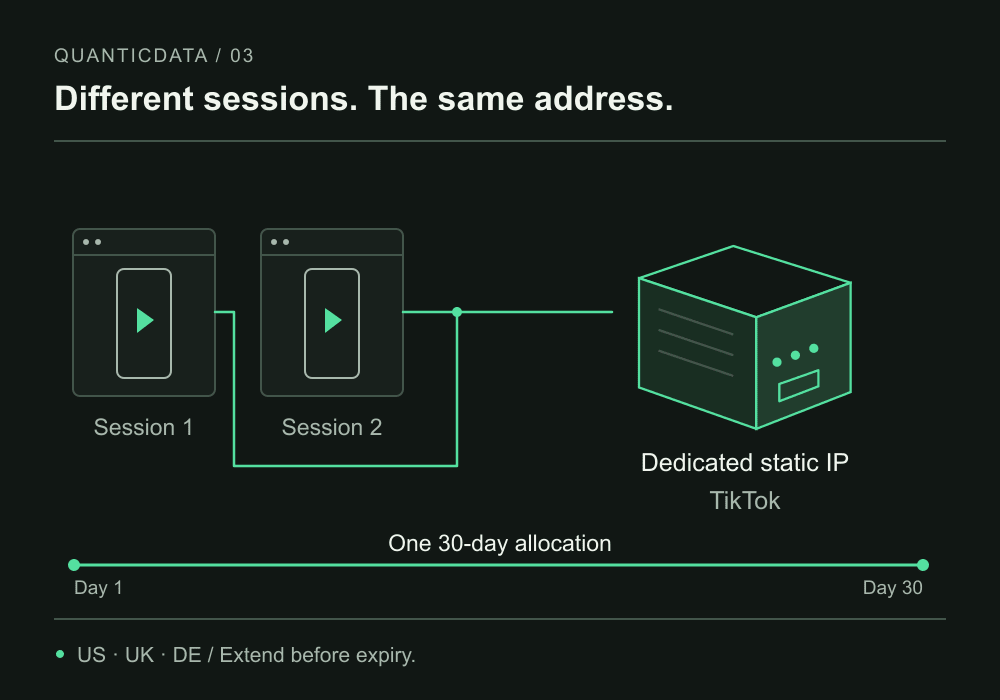
- Dedicated IP
- Private, without rotation
- 30 days
- Extend in your dashboard
- Unlimited bandwidth
- HTTP · SOCKS5 · UDP
AT A GLANCE
Static or rotating: choose the continuity you need
Social ISP proxies include low Scamalytics fraud scores. Compare how long you need the same address, as well as the network type.
| Connection | IP continuity | When to choose it |
|---|---|---|
| Dedicated ISP | Same IP for the 30-day allocation | A private, identifiable connection for the profiles you manage. |
| Sticky residential | IP retained for a session window | Residential pool access with continuity within the supported session. |
| Rotating residential | Exit changes between requests or sessions | Data collection when changing addresses is useful. |
Countries, networks and configuration
Dedicated private IPs · HTTP, SOCKS5 and UDP · Unlimited bandwidth · 30 days, with extension
| Country | Networks in this offering | Price and availability |
|---|---|---|
| United States | AT&T, Windstream, RCN, Wave, Cogent, Spectrum/Charter, Frontier | Configure |
| United Kingdom | British Telecom, Glide, Orange, Virgin Media | Configure |
| Germany | DTAG (Deutsche Telekom), Lumen | Configure |
Current prices and available quantities are shown in the configurator before purchase. Carrier lists do not guarantee individual network selection.
Choose between a fixed ISP address and a mobile connection
Start with the connection behavior you need. An ISP allocation is useful when you want to return to the same outgoing address during the term. A mobile proxy uses a mobile network and may offer rotating or sticky behavior rather than a permanently allocated exit. The two products answer different requirements; a mobile label is not evidence that every TikTok workflow needs a mobile proxy.
For a managed profile, document which country and connection you selected before changing settings. Compare the available mobile TikTok page if your application specifically requires mobile carrier connectivity. For long-running use where a fixed address matters, the ISP option gives you a clear allocation and expiry to manage in the dashboard.
Country selection without audience promises
US, UK and Germany are the supported countries for the specialized social ISP offering. The US network list includes AT&T, Windstream, RCN, Wave, Cogent, Spectrum/Charter and Frontier; the UK includes British Telecom, Glide, Orange and Virgin Media. Germany uses DTAG (Deutsche Telekom) and Lumen. Availability depends on the country and quantity selected.
The IP location is based on ipinfo.io. TikTok can consider information beyond an outgoing IP when deciding how a feature works or which audience sees a video. A US connection does not establish eligibility for creator programs, guarantee US viewers or replace the account’s own requirements. Choose a location for a consistent network setup, rather than a promised distribution outcome.
Reputation, bandwidth and a practical setup check
Low Scamalytics fraud scores are included in the social offering, but scores vary per IP. We do not transfer the separate IPQualityScore and Synthient optimization claim to these connections. When those particular checks are your priority, compare the dedicated low fraud score selection before ordering.
Use the dashboard’s assigned endpoint, port and authentication details in a compatible client. HTTP, SOCKS5 and UDP are supported. Check the outgoing IP and basic connectivity first, then verify the application separately. Keep credentials private when sharing diagnostics. Unlimited bandwidth means traffic is not sold by gigabyte for this allocation; it does not determine the limits or behavior of the destination platform.
Check the connection used by your TikTok client
Identify where the proxy setting applies before testing TikTok. A browser profile setting covers that profile’s traffic; it does not automatically configure a separate native application or every connection on the device. Choose a client that supports the required protocol and authentication, and use its documented network settings. Proxy support for HTTP, SOCKS5 and UDP does not mean every client supports all three.
Enter the assigned endpoint and credentials, then check the outgoing IP from that same client. Next test the intended TikTok workflow, such as opening the account or preparing an upload. An unrelated browser can show that the proxy works there while leaving the actual application’s routing untested. Keep the client name and proxy configuration with your test notes.
For video work, distinguish network access from the upload operation. Unlimited bandwidth removes per-gigabyte billing for this ISP allocation, while the application controls content and account actions. If a transfer fails, record whether the client lost the connection, returned an authentication error or received a response from TikTok. That is more actionable than grouping every failure under the proxy’s fraud score.
Plan an ongoing workflow around allocation and renewal
Keep an inventory of the profiles or client configurations you manage, their assigned endpoints and expiry dates. A fixed address helps keep that inventory stable through the term, especially when the same working configuration must be available on another day. Store credentials in the client or an appropriate secret store, with only labels and expiry dates in shared task notes.
Before another month, verify that the connection still meets your country and application requirements, then review the active allocation’s extension in the dashboard. Check the updated expiry after renewal. If your project needs mobile-network connectivity, compare the mobile option explicitly: moving between ISP and mobile changes the connection you are evaluating. Select the network behavior that your client and workflow actually require.
Frequently asked questions
Is this a VPN app or a free proxy list for TikTok?
No. This is a paid allocation of dedicated ISP proxy addresses, configured in compatible software using the supplied connection details. It is not a consumer VPN application or a public list of shared endpoints. The configurator shows the current price and quantity before you place an order.
Does a US proxy make an account eligible for monetization?
A proxy provides a network connection, not account eligibility. The location of an outgoing IP does not promise access to monetization, creator programs or a particular audience. Treat the platform’s account requirements separately from the choice of country and protocol for your connection.
What should I check before extending the allocation?
Confirm that the IPs are still active, that the selected country meets your needs and that your client connects with the current credentials. Review the extension price and new expiry in the dashboard. Extending before expiry is different from assuming an expired address will be available for a new purchase.
FROM SELECTION TO CONNECTION
Verify your IP before putting it to work
- Choose country and useReview quantity, price and term in the configurator.
- Import the connectionCopy the ISP generator’s formatted output into your application.
- Check exit and reputationVerify the actual exit IP, then run the quality check on that address.
A connection check with cURL
Replace the placeholders with the host, port and credentials from your dashboard. The ipinfo.io response shows the exit IP and its location; it is not a fraud score.
For SOCKS5 with proxy-side DNS use socks5h:// instead of http://. cURL documentation.
curl --proxy "http://PROXY_HOST:PROXY_PORT" \
  --proxy-user "PROXY_USER:PROXY_PASSWORD" \
  --connect-timeout 15 \
  https://ipinfo.io/json
Keep continuity. Extend the active plan in your dashboard before expiry and verify the new date. A new order after expiry does not reserve the same IP.